Free Image Upscaler
Transform low-resolution photos into sharp, high-definition visuals instantly—all processed securely inside your browser.
Start Upscaling
Select your scale preference and process your photos safely on your device.
Drop your image here
or click to browse
Upscale Image Up to 4×
Our Free Image Upscaler lets you enlarge low-resolution images directly in your browser without installing heavy software. Simply upload your image, choose a scale level, preview the upscaled result, and download it in seconds.
The tool supports JPG, PNG, and WebP formats, processing everything on your local device using browser-side canvas rendering.
This method guarantees complete data privacy and fast performance without relying on any external server queues.
- ✓ No software installation required
- ✓ Your images stay entirely on your device
- ✓ Preview and adjust scale before download
How It Works
Upload Image
Choose a JPG, PNG, or WebP file to upscale.
Choose Scale
Select your preferred scale factor (Default setting is 1.5x).
Preview & Compare
Compare original and upscaled images, including dimensions, file sizes, and image types.
Download PNG
Save your final, high-resolution upscaled image locally.
Real Processing Example
See how a real image is processed using our browser-based Image Upscaler. Every example below comes directly from the tool without any manual editing.
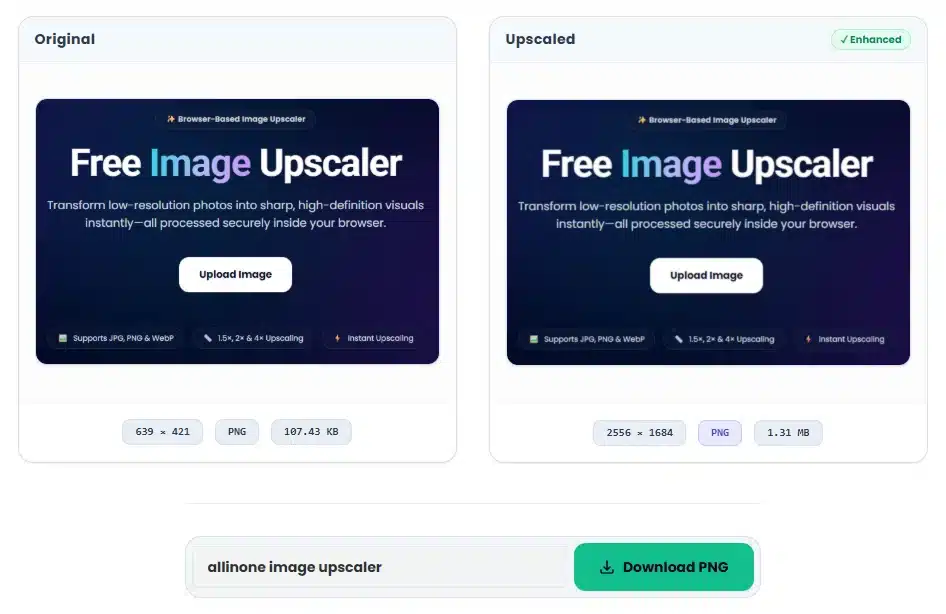
Example Details
This example shows a real image processed using the 4× Upscaling option. The screenshot was captured directly from the tool after processing.
Every example shown on this page is generated using this Image Upscaler. No mockups or manual editing were used.
Frequently Asked Questions
Find answers to common questions about privacy, supported formats, browser compatibility and image upscaling.
Is this image upscaler 100% free?
Yes. Our upscaler is completely free to use with no watermarks, hidden limits, or subscription fees.
Are my photos uploaded to your servers?
No. All upscaling is processed locally inside your web browser. Your photos never leave your device.
Which image formats can I upscale?
You can upscale PNG, JPG, JPEG, and WebP images. All outputs are saved as high-quality PNGs.
What is the maximum file size allowed?
You can upload files up to 50MB. For faster local rendering, we recommend using images under 20MB.
Can I use the Image Upscaler on my phone?
Yes. It works on any modern mobile web browser (iOS and Android) without requiring any app downloads.
Do I need to install any software to upscale?
No software installation or browser plugins are required. It runs entirely client-side.