Quarter turns · Any angle · Up to 5 images
Image Rotation Tool
A quarter turn.
Or just the angle you need.
Turn sideways photos upright, straighten a tilted scan by a fraction of a degree, then keep the whole image or clip it to its original frame. The original file stays unchanged.
Add images to rotate
Drag and drop, paste, or choose up to 5 images.
JPG · PNG · WebP · BMP · GIF · SVG · HEIC · 10 MB each
Checking available output formats…
Set an angle for each image, then rotate.
Live rotation preview
Rotation & download
Positive turns clockwise; negative turns counterclockwise. The Turn buttons add to the current angle.
Settings guide
Every control has a visible consequence
The live preview uses the same angle, frame, margin and background as the saved file, so what you see is what you get.
| Control | Behaviour | Recommended use | Example |
|---|---|---|---|
| Angle | Positive turns clockwise; negative turns counterclockwise, in 0.1° steps. | Small values for tilt | −2.5° corrects a slight clockwise tilt in a scan. |
| Turn buttons | Add a quarter or half turn to the current angle. | Sideways photos | +90° twice gives the same result as 180°. |
| Fit whole image | Grows the canvas so every corner of the turned image stays visible. | Default | 1200 × 800 at 90° becomes 800 × 1200 before margin. |
| Keep original frame | Keeps the source width and height and clips what turns outside it. | Fixed layout sizes | A 1200 × 800 source stays 1200 × 800 before margin, even at 90°. |
| Margin | Adds background space on every side, 0–100 px. | Breathing room | 20 px adds 40 px to both width and height. |
| Rotate / Rotate all | Creates the file for one image, or for every image one at a time. | ZIP for 2+ files | Each image keeps its own format; Download ZIP saves all ready files at once. |
Output choices
Transparency and quality are separate decisions
JPG photos default to JPG and other images to PNG. Change the format on each image when the destination needs something else.
| Format | Transparent corners | Quality setting | Consideration |
|---|---|---|---|
| PNG | Kept | Not used | Clean edges for graphics and transparent corners; a rotated photo can become much larger. |
| JPG | White, or your solid colour | 0.10–1.00 | Usually the smallest files for photos; it is re-encoded, so fine detail can soften. |
| WebP | Kept | 0.10–1.00 | Shown only when this browser passes a WebP encoding test. |
| 24-bit BMP | White, or your solid colour | Not used | Uncompressed and usually much larger; choose it only when required. |
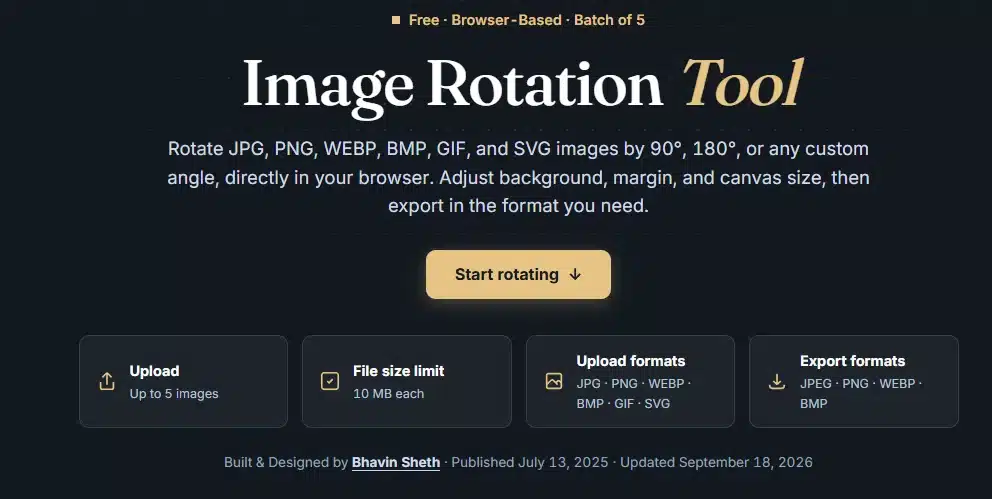
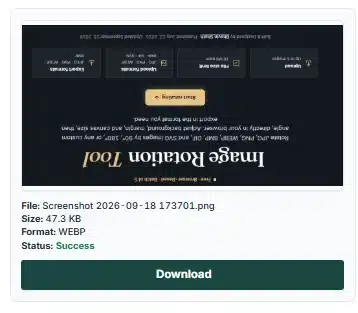
Before & after
A different angle. The same subject.
These images illustrate an orientation change. Your own result depends on the angle, canvas mode, margin and background you choose.
Reliability notes
One source frame. Clear results.
Each rotation is drawn fresh from the original pixels, so turning an image again never compresses an earlier result a second time.
What happens to your images
Use the right operation
Turn, trim or resize? Different jobs.
| Task | Recommended settings | What to check |
|---|---|---|
| Make a sideways photo upright | Turn +90° or −90° · Fit whole image · JPG | Width and height swap at 90°; nothing is cropped. |
| Straighten a tilted scan | Small angle such as −1.5° · Fit whole image · solid white background | Fit adds corner space. Trim it afterwards with the Image Cropper. |
| Fix a sideways document scan for an Indian online form | Turn upright · JPG | Then match the notice's pixel size with the Image Resizer and its KB limit with the Image Compressor. |
| Create a tilted design element | Any angle · Fit whole image · margin · Transparent · PNG | Place the PNG on your design to check its edges. |
| Change the shape or file type instead | Image Shape Cropper or Image Converter | Rotation changes orientation and frame; it does not apply masks or social media sizes. |
Troubleshooting
When the result needs another pass
Corners are missing
Keep original frame clips everything that turns outside the source size.
- Switch Canvas mode to Fit whole image.
- Margin adds space but cannot restore clipped corners.
- Rotate the image again after changing the mode.
The corners are white
JPG and BMP cannot keep transparency.
- Pick PNG, or WebP if it appears in the format list.
- Set Background to Transparent.
- Or pick a solid colour that matches your page.
The angle shows a size error
A diagonal turn makes the fitted canvas larger than the source.
- Remove the margin.
- Use Keep original frame.
- Or reduce the image first with the Image Resizer.
The image will not open
The file may be unsupported, too large or damaged.
- Use a non-empty file up to 10 MB and 20 MP.
- For SVG, set pixel width and height and remove scripts or links.
- For HEIC, check your connection so the decoder can load.
Frequently asked questions
Image rotation explained
How do I rotate an image by an exact angle?
Add an image, type an angle from −360° to 360° or use the slider, and check the live preview. Positive angles turn clockwise and negative angles counterclockwise. The Turn buttons add −90°, +90° or 180° to the current angle. Press Rotate image, then Download.
What does Fit whole image do?
It enlarges the canvas so the entire turned image fits, then adds the margin. A 1200 × 800 image turned 90° with no margin becomes 800 × 1200. Other angles round the canvas up to whole pixels, and the new corner areas use your background.
What does Keep original frame do?
It keeps the source width and height, turns the image around its centre and clips whatever falls outside that frame. Margin then adds background around the frame; it does not bring back the clipped corners.
Can I rotate several images at once?
Yes. Add up to five images. All −90°, All +90° and All 180° add that turn to every image while keeping each image's own frame, margin, background and format. Rotate all creates the files one by one and reports how many are ready. Download ZIP saves the ready files together; duplicate names get a number.
Does rotating reduce image quality?
Each rotation is drawn from the original decoded pixels, so repeated turns do not compress an earlier result again. With Fit whole image, quarter turns move pixels exactly; other angles blend neighbouring pixels. Saving as JPG or WebP re-encodes the image and can soften fine detail. Metadata and colour profiles are not kept.
Why is my phone photo sideways in another app?
Phones often save a photo sideways with a note telling apps to turn it. Your browser follows that note, so the preview shows the photo upright, and the saved file stores those upright pixels without the note. If a photo still looks wrong here, use a Turn button.
Which formats can I add and save?
Add JPG/JPEG, PNG, WebP, BMP, GIF, HEIC/HEIF or self-contained SVG images with a pixel width and height. Save as JPG, PNG or 24-bit BMP, plus WebP when this browser passes an encoding test. A GIF gives its first frame, and SVG becomes pixels.
How do transparency and background colour work?
PNG and WebP can keep transparent corners and transparent areas of the source. Choose Solid colour to fill them with a colour you pick. JPG and BMP cannot keep transparency, so Transparent becomes white for those formats. The checkerboard in the preview is not saved.
What are the file, pixel and margin limits?
Use up to five non-empty files, each no larger than 10 MB. Each image and each rotated result must stay within 20 MP and 16,384 pixels per side, and all images together within 40 MP. The margin is 0–100 pixels per side, and a rotated file can be at most 96 MB.
Why does a small tilt make a larger file?
Fit whole image enlarges the canvas to hold the turned corners, and margin enlarges it further. File size also depends on the content, format and quality. Saving a JPG photo as PNG usually makes it much larger.
Why does the quality slider not change the preview?
The preview shows the rotated pixels before encoding, fitted within 900 pixels. Quality affects only JPG and WebP files when you press Rotate; PNG and BMP ignore it. Inspect the result to see compression artifacts and the file size.
Why did my rotated download disappear?
Changing the angle, canvas mode, margin, background, format or quality clears that image's earlier file so an outdated result is not saved by mistake. Press Rotate again. Renaming, switching the appearance, selecting another image or expanding the workspace keeps finished files.
Are my images uploaded to a server?
No. Images are decoded and rotated in your browser and are not sent to our server. If your browser cannot open a HEIC photo itself, a decoder is downloaded from jsDelivr; that request does not include your image. Clear all releases the images from this page; it does not delete files you already saved.
Can I stop rotating or undo a turn?
Stop cancels the image being processed and skips the rest; completed files stay available. Reset this image restores its original orientation and default settings. Your original files are never changed, but a saved copy does not keep an editable rotation history.
Ready to turn your image?
Return to the workspace, or browse all image tools.