Area or whole image · 2–50 px blocks · Up to 5 images
Image Pixelate Tool
Choose the area.
Make it blocky.
Drag a box over part of a photo, or type exact coordinates, and turn it into 2–50 px blocks. Add more areas or pixelate the whole image, then save JPG, PNG or WebP. Pixelation hides detail visually but is not secure redaction.
Add images to pixelate
Drop, paste or choose up to 5 images.
JPG · PNG · WebP · BMP · GIF · SVG · HEIC · 10 MB each
Checking available output formats…
Pixelate an area of each image, or use Pixelate all for whole images.
Image & selected area
Blocks, area & download
Measured in pixels of the original image. A new size is used on the next Pixelate press; earlier edits stay as they are.
Editing controls
Select. Pixelate. Then create the file.
Pixelate buttons change the image at once. Create file only saves what you see.
| Control | What it does | Good starting point | Worth knowing |
|---|---|---|---|
| Block size | Sets how many original pixels wide and tall each square is. | 10 px (default) | Applies to the next Pixelate press only; earlier areas keep their size. |
| Drag or X / Y / Width / Height | Marks a rectangle in original-image pixels, counted from the top-left corner. | Drag, then fine-tune | The dashed outline is a guide and never appears in the saved file. |
| Pixelate area / whole image | Turns the marked rectangle, or the full picture, into blocks. | One area per press | Mark a new rectangle and press again to add another edit. |
| Reset to original | Removes every pixelated area from the selected image. | Start over | There is no step-by-step undo; format and name are kept. |
| Pixelate all | Pixelates the whole frame of every image with the batch block size. | Same style for a set | Areas cannot be copied between images; each one is chosen separately. |
| Create file / Download ZIP | Saves the current pixels as JPG, PNG or WebP, then bundles finished files. | JPG for photos | A further Pixelate press removes the earlier file until you create it again. |
How blocks are formed
One sampled pixel. One square block.
Top-left colour, not an average
Every pixel in a 10 × 10 block receives the exact colour of the block's top-left pixel. That keeps edges hard and colours true to the photo, unlike an averaged mosaic.
The grid starts at your area
Blocks are counted from the area's top-left corner, so moving the box by one pixel changes the pattern. Blocks at the right and bottom edge can be narrower.
Overlapping areas build up
A second area that overlaps the first samples the already pixelated pixels. Change the order or press Reset to original if the result is not what you wanted.
Transparency is copied too
If the sampled pixel is transparent, its whole block becomes transparent. PNG and WebP keep that; a JPG fills those blocks with white.
Before & after
A block-based effect. Not a privacy test.
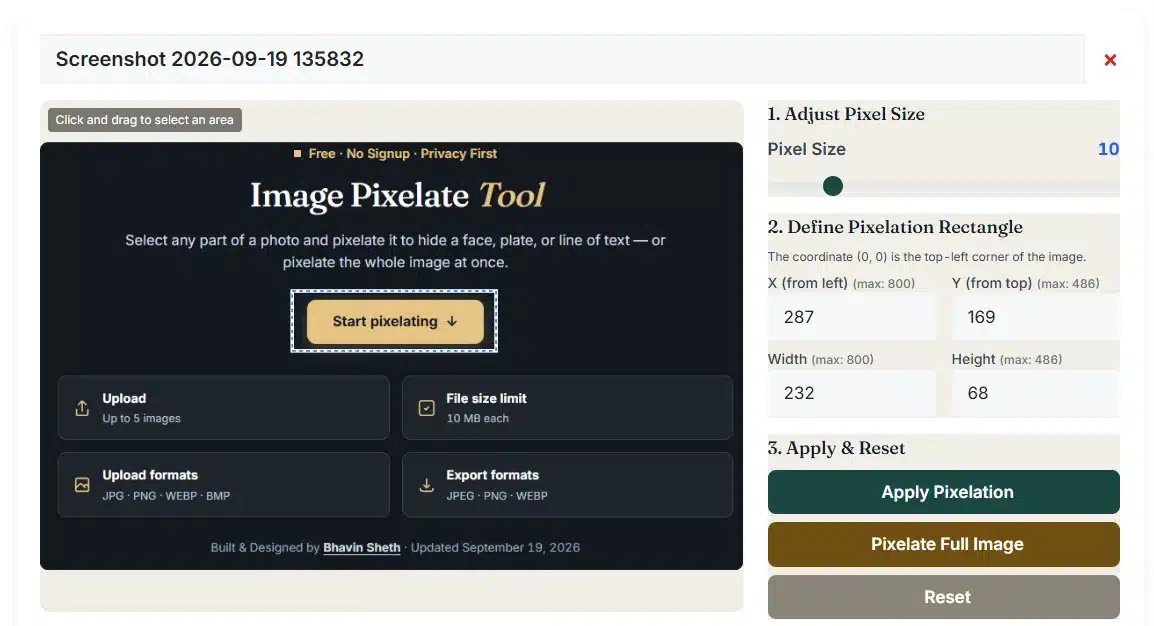
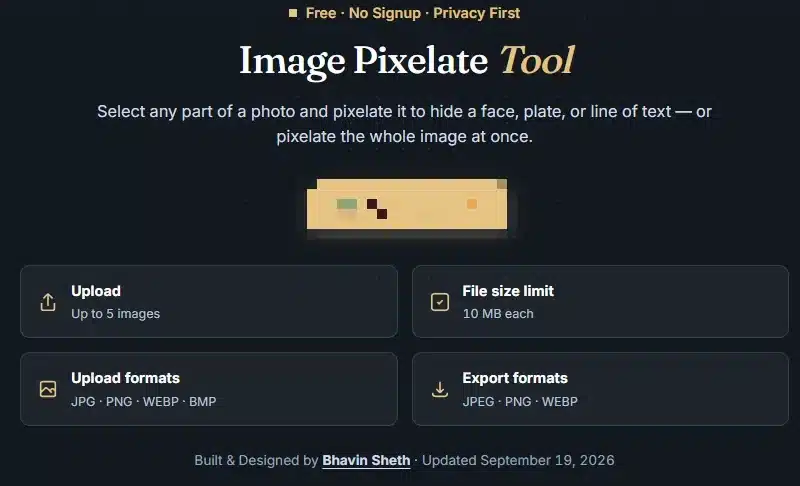
Example screenshots of the effect. They are not your live result, and any dates or labels inside them belong to the screenshots.
Processing notes
Two copies of each image. One stays untouched.
An unchanged copy is kept beside the working copy, which is why Reset to original always works while the page is open.
Steps for every image
Use and limitations
Choose the effect with the right expectations.
| Goal | Suggested approach | What to check |
|---|---|---|
| Hide names or numbers in a WhatsApp chat screenshot before posting it | Mark each line · 15–25 px blocks | Short text can still be guessed from its shape. For phone numbers, OTPs or bank details, crop them out with the Image Cropper instead. |
| Hide a background face or a number plate in a street photo | One area each · 12–20 px | Zoom in on the saved file; small blocks on a large photo can still show the outline. |
| A retro, 8-bit style picture | Pixelate whole image · 8–16 px | Hard edges stay sharpest in PNG; JPG compression can soften the block edges. |
| Different block sizes in different places | Small size first, then larger | Each press uses the size set at that moment, so plan the order before you start. |
| A soft, out-of-focus look | Use blur instead | For smooth softness without squares, try the Image Blur Tool. |
Export choices
Keep hard edges. Or a smaller file.
| Output | Transparent blocks | Quality setting | Good for |
|---|---|---|---|
| PNG | Stay transparent | Not used | Crisp block edges in screenshots and graphics. |
| JPG | Become white | 0.10–1.00 | Photos to share; keep quality high so block edges stay clean. |
| WebP | Stay transparent | 0.10–1.00 | Web pages, when this browser passes the WebP test. |
Troubleshooting
Check the area. Then the last press.
The slider moved but nothing changed
Block size waits for the next Pixelate press.
- Mark an area, then press Pixelate area.
- Or press Pixelate whole image.
- Earlier areas are not recalculated.
Pixelate area stays greyed out
The rectangle is missing or goes past the image edge.
- Fill in all four numbers.
- Keep X + Width within the image width.
- Or simply drag on the preview.
The wrong area was pixelated
Edits cannot be undone one at a time.
- Press Reset to original.
- Mark the areas again in the right order.
- Format and name stay as you set them.
The Download button went away
A new edit, reset, format or quality change clears the old file.
- Press Create file again.
- The ZIP counts only created files.
- Marking an area alone keeps the file.
Pixelation questions
Before you save the edited image
How do I pixelate part of an image?
Add an image and drag a box over the part you want to hide, or type X, Y, Width and Height. Choose a block size from 2 to 50 px and press Pixelate area. When it looks right, press Create file and download the result.
Can I pixelate more than one area?
Yes. After each Pixelate area press, mark the next part and press again; earlier areas stay pixelated. Overlapping areas use the already pixelated pixels, so the order matters. Reset to original removes every edit on that image at once.
How is each block's colour chosen?
Each square copies the colour and transparency of its own top-left pixel into the rest of the square. Blocks start at the corner of your area, and the last row or column can be smaller where it meets the edge. No averaging or blurring is involved.
Is pixelation safe for hiding passwords, OTPs or ID numbers?
No. Pixelated text can sometimes be read again, especially short numbers and small block sizes, and this tool cannot measure how well something is hidden. Crop sensitive details out or cover them with a solid box, then check the image before sharing.
What block size should I use?
Block size is counted in pixels of the original image, from 2 to 50, starting at 10. On a large photo, 10 px may look fine on screen, so judge by the saved file. Bigger blocks hide more detail but make the area more noticeable.
Can I type exact coordinates instead of dragging?
Yes. X and Y are measured from the top-left corner, starting at 0; Width and Height must be at least 1. All four must be whole numbers and the box must fit inside the image. Clear area removes only the outline, not pixelation you already applied.
How does Pixelate all work for several images?
Type a block size in the batch box and press Pixelate all. Every image is pixelated across its whole frame, on top of any areas you already edited. To pixelate just one part of each picture, select each image and mark its own area.
Which files and sizes can I pixelate?
Up to five JPG/JPEG, PNG, WebP, BMP, GIF, HEIC/HEIF or self-contained SVG files, each up to 10 MB. Every image may be at most 20 MP and 16,384 px on a side, 40 MP for the whole batch, and each created file up to 96 MB.
Does pixelating change the image size or transparency?
The width and height stay exactly the same. Inside a block, the transparency of the sampled pixel is copied too, so a block can become fully or partly transparent. PNG and WebP keep that; JPG turns transparent blocks white.
Why do small blocks look smooth in the preview?
The preview shrinks the image to fit within 900 px, so 2 or 3 px blocks on a big photo can blend together on screen. The created file has every block at full size. JPG and WebP compression can also soften block edges slightly.
What do Create file and Download ZIP do?
Create file saves the image exactly as it now looks, pixelated or not, as JPG, PNG or WebP. Names end in -pixelated or -original. Download ZIP bundles every created file; if some are missing, the button shows how many are included.
What does Stop do in the middle of pixelating?
Stop discards the area that was being pixelated and skips the remaining images; areas and files that were already finished stay. Reset to original keeps your format, quality and name. A new edit or a format change removes the earlier created file.
Are my images sent to a server or saved after I leave?
No. Pixelating and zipping run in your browser, and images are not sent to our server; only a HEIC photo that this browser cannot open downloads a decoder from jsDelivr, without your image. Nothing is restored after a refresh, so download first.
Related operations
Continue with another image tool
Ready to pixelate an image area?
Head back to the editor, or look through the image tools and the full tools directory.