Text Fancy Fonts Generator
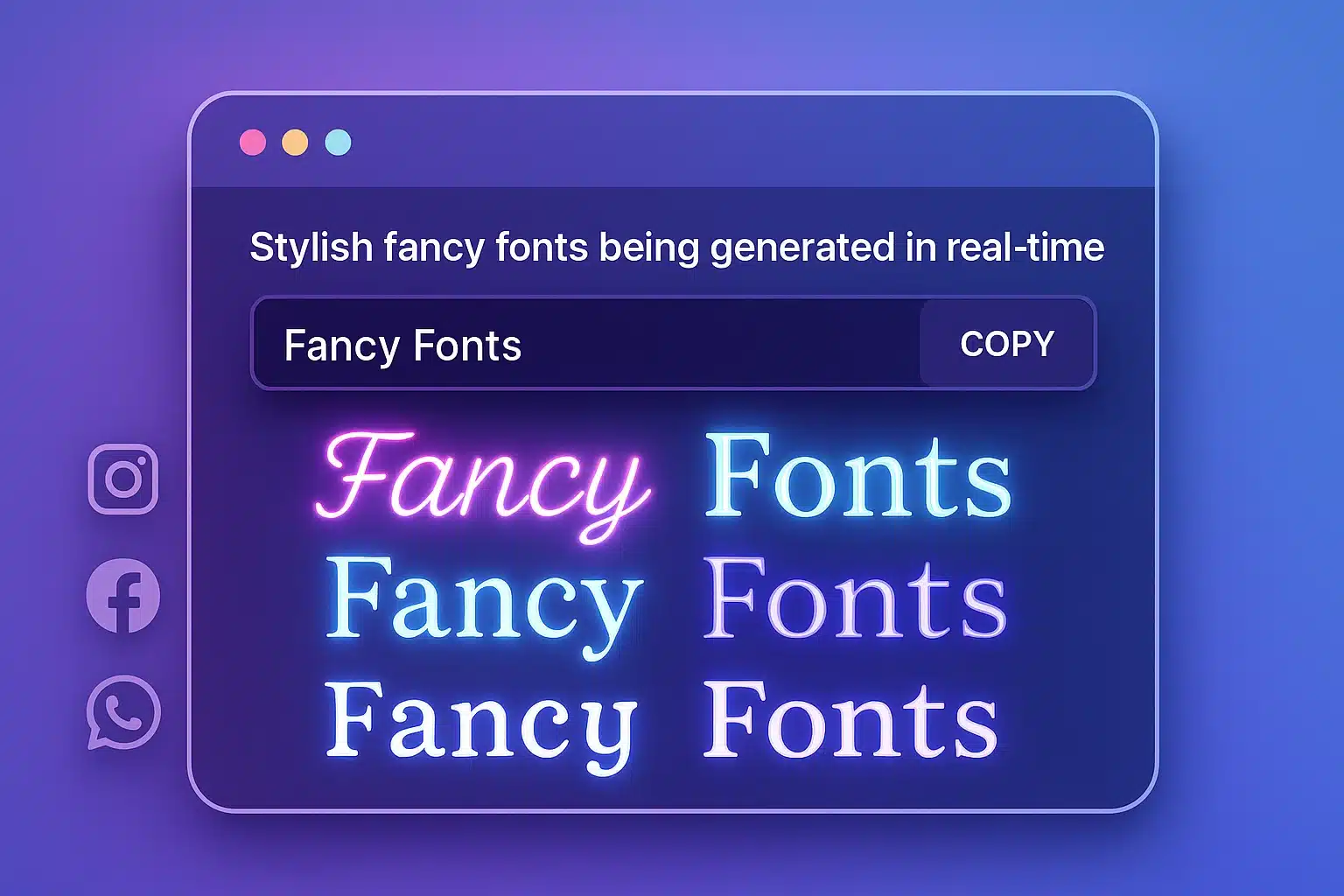
Transform ordinary text into eye-catching styles with just a few clicks. Perfect for social media, blogs, and creative projects.
1,000+ people using our tool
10+
Font Styles
100%
Free to Use
Fast
Instant Results
Easy
Copy & Paste
What is Fancy Fonts Generator?
A powerful tool that transforms ordinary text into stylish, eye-catching formats for social media, blogs, and creative projects.
Transform Your Text Instantly
Our Text Decorator & Fancy Fonts Generator gives you access to dozens of unique text styles and fonts that work across platforms.
Multiple Font Styles
Access to various decorative fonts and text styles
Easy Copy & Paste
Simple one-click copy for use anywhere online
Text Analysis
Get detailed stats about your text
Ready to transform your text?
Try our Text Decorator & Fancy Fonts Generator now!
Text Decorator & Fancy Fonts
Transform your plain text into beautiful, stylish formats with our easy-to-use tool.
Input Text
Text Statistics
Words
0
Characters
0
Characters (no spaces)
0
Paragraphs
0
Sentences
0
Reading Time
0 sec
Speaking Time
0 sec
Unique Words
0
Longest Word
-
Fancy Text Styles
Social Media Preview
John Doe
2 hours ago
Fast & Easy
Transform your text instantly with just a few clicks. No sign-up required.
100% Free
All features are completely free to use. No hidden fees or premium plans.
Works Everywhere
Our fancy fonts work across most social media platforms and messaging apps.
Social Media Profiles
Stand out with unique bio text and captions that grab attention.
Blog Titles & Headers
Create eye-catching headlines that make your content more engaging.
Messaging Apps
Send unique messages that stand out in group chats and conversations.
Creative Projects
Add stylish text to designs, presentations, and creative projects.
Instructions
Follow these simple steps to transform your text into beautiful fancy fonts.
How to Use the Fancy Fonts Generator Tool
Enter Your Text
Type or paste your text in the input field. You can use the paste button for quick input.
Format Your Text (Optional)
Use the formatting buttons to convert your text to uppercase, lowercase, title case, or sentence case.
Browse Fancy Styles
Scroll through the generated fancy text styles to find the one you like best.
Copy Your Favorite Style
Click the copy button next to any style to copy it to your clipboard, or use "Copy All Styles" to get everything.
Use or Share Your Text
Paste the copied text anywhere you want, download it as a file, or share it directly to WhatsApp.
Tips for Best Results
- Keep text concise for better readability in fancy fonts
- Test your fancy text on the platform where you'll use it
- Some platforms may not support all fancy characters
- Use the social media preview to see how your text will look
Applications
Discover how our Text Decorator & Fancy Fonts Generator can enhance your online presence.
Transform Your Online Presence
Stand out from the crowd with eye-catching text styles that grab attention and make your content memorable.
Social Media
Create eye-catching bios, captions, and posts that stand out in crowded feeds. Increase engagement with unique text styles.
Blogging
Create distinctive headings, subheadings, and callouts that make your blog posts more engaging and visually appealing.
Email Marketing
Boost open rates and engagement with attention-grabbing subject lines and highlighted text in your email campaigns.
Messaging Apps
Make your messages stand out in group chats and personal conversations with unique text styles that grab attention.
Real-World Examples
See how people are using our Text Decorator & Fancy Fonts Generator to enhance their online presence.
Sarah Miller
Social Media Influencer
"I use fancy fonts for my Instagram bio and post captions. My engagement increased by 35% after I started using stylish text!"
𝓢𝓪𝓻𝓪𝓱'𝓼 𝓛𝓲𝓯𝓮𝓼𝓽𝔂𝓵𝓮 & 𝓑𝓮𝓪𝓾𝓽𝔂 𝓣𝓲𝓹𝓼 ✨
James Davis
Blogger
"I use fancy text styles for my blog post headings to make them stand out. My readers love the unique look!"
𝕋𝕙𝕖 𝔸𝕣𝕥 𝕠𝕗 𝕄𝕚𝕟𝕚𝕞𝕒𝕝𝕚𝕤𝕞: 𝕃𝕖𝕤𝕤 𝕚𝕤 𝕄𝕠𝕣𝕖
Social Media Post Example
Alex Brown
2 hours ago
✨ 𝕁𝕦𝕤𝕥 𝕝𝕒𝕦𝕟𝕔𝕙𝕖𝕕 𝕞𝕪 𝕟𝕖𝕨 𝕡𝕣𝕠𝕛𝕖𝕔𝕥! 𝕊𝕠 𝕖𝕩𝕔𝕚𝕥𝕖𝕕 𝕥𝕠 𝕤𝕙𝕒𝕣𝕖 𝕚𝕥 𝕨𝕚𝕥𝕙 𝕪𝕠𝕦 𝕒𝕝𝕝. ✨
Email Subject Line Example
From: marketing@example.com
To: customer@example.com
Subject: ✨ 𝕊𝕡𝕖𝕔𝕚𝕒𝕝 𝕆𝕗𝕗𝕖𝕣: 𝟚𝟘% 𝕆𝕗𝕗 𝕐𝕠𝕦𝕣 𝔽𝕚𝕣𝕤𝕥 ℙ𝕦𝕣𝕔𝕙𝕒𝕤𝕖! ✨
Dear Customer,
We're excited to offer you a special discount on your first purchase!
Use code: WELCOME20
Compatibility
Our fancy fonts work across most platforms including:
- Instagram, Facebook, Twitter
- WhatsApp, Telegram, Discord
- Email clients, Blogs, Websites
Limitations
Be aware of these potential limitations:
- Some platforms may not support all styles
- Screen readers may have difficulty with fancy text
- Long fancy text may reduce readability
Best Practices
Tips for getting the most out of fancy text:
- Use for headlines and short phrases
- Test on your platform before publishing
- Combine with emojis for extra impact
Examples
See how our Text Decorator & Fancy Fonts Generator transforms ordinary text into eye-catching styles.
Social Media Examples
Instagram Bio
Original Text:
Travel enthusiast | Food lover | Photographer
Fancy Text:
✈️ 𝓣𝓻𝓪𝓿𝓮𝓵 𝓮𝓷𝓽𝓱𝓾𝓼𝓲𝓪𝓼𝓽 | 🍕 𝓕𝓸𝓸𝓭 𝓵𝓸𝓿𝓮𝓻 | 📸 𝓟𝓱𝓸𝓽𝓸𝓰𝓻𝓪𝓹𝓱𝓮𝓻
Twitter/X Post
Original Text:
Just launched my new website! Check it out and let me know what you think.
Fancy Text:
🚀 𝕁𝕦𝕤𝕥 𝕝𝕒𝕦𝕟𝕔𝕙𝕖𝕕 𝕞𝕪 𝕟𝕖𝕨 𝕨𝕖𝕓𝕤𝕚𝕥𝕖! ℂ𝕙𝕖𝕔𝕜 𝕚𝕥 𝕠𝕦𝕥 𝕒𝕟𝕕 𝕝𝕖𝕥 𝕞𝕖 𝕜𝕟𝕠𝕨 𝕨𝕙𝕒𝕥 𝕪𝕠𝕦 𝕥𝕙𝕚𝕟𝕜. 🌟
Facebook Status
Original Text:
So excited to announce that we're expecting! Baby coming January 2024.
Fancy Text:
💖 𝓢𝓸 𝓮𝔁𝓬𝓲𝓽𝓮𝓭 𝓽𝓸 𝓪𝓷𝓷𝓸𝓾𝓷𝓬𝓮 𝓽𝓱𝓪𝓽 𝔀𝓮'𝓻𝓮 𝓮𝔁𝓹𝓮𝓬𝓽𝓲𝓷𝓰! 👶 𝓑𝓪𝓫𝔂 𝓬𝓸𝓶𝓲𝓷𝓰 𝓙𝓪𝓷𝓾𝓪𝓻𝔂 𝟐𝟎𝟐𝟒. 💖
Social Media Preview
Jane Doe
3 hours ago
✨ 𝕁𝕦𝕤𝕥 𝕗𝕚𝕟𝕚𝕤𝕙𝕖𝕕 𝕞𝕪 𝕟𝕖𝕨 𝕡𝕙𝕠𝕥𝕠𝕘𝕣𝕒𝕡𝕙𝕪 𝕡𝕣𝕠𝕛𝕖𝕔𝕥! 𝕊𝕠 𝕖𝕩𝕔𝕚𝕥𝕖𝕕 𝕥𝕠 𝕤𝕙𝕒𝕣𝕖 𝕚𝕥 𝕨𝕚𝕥𝕙 𝕪𝕠𝕦 𝕒𝕝𝕝. ✨
Other Applications
Blog Post Title
Original Text:
10 Tips for Better Productivity
Fancy Text:
⚡ 𝟙𝟘 𝕋𝕚𝕡𝕤 𝕗𝕠𝕣 𝔹𝕖𝕥𝕥𝕖𝕣 ℙ𝕣𝕠𝕕𝕦𝕔𝕥𝕚𝕧𝕚𝕥𝕪 ⚡
Event Invitation
Original Text:
You're invited to our Holiday Party! December 15th, 7PM
Fancy Text:
🎄 𝓨𝓸𝓾'𝓻𝓮 𝓲𝓷𝓿𝓲𝓽𝓮𝓭 𝓽𝓸 𝓸𝓾𝓻 𝓗𝓸𝓵𝓲𝓭𝓪𝔂 𝓟𝓪𝓻𝓽𝔂! 🎄
𝓓𝓮𝓬𝓮𝓶𝓫𝓮𝓻 𝟏𝟓𝓽𝓱, 𝟕𝓟𝓜
Seasonal Examples

November Greetings
🍂 ℍ𝕒𝕡𝕡𝕪 ℕ𝕠𝕧𝕖𝕞𝕓𝕖𝕣! 𝕄𝕒𝕪 𝕥𝕙𝕚𝕤 𝕞𝕠𝕟𝕥𝕙 𝕓𝕣𝕚𝕟𝕘 𝕪𝕠𝕦 𝕒𝕓𝕦𝕟𝕕𝕒𝕟𝕔𝕖 𝕒𝕟𝕕 𝕘𝕣𝕒𝕥𝕚𝕥𝕦𝕕𝕖! 🍁
Perfect for seasonal social media posts and greetings.

December Celebrations
❄️ 𝓜𝓮𝓻𝓻𝔂 & 𝓑𝓻𝓲𝓰𝓱𝓽! 𝓗𝓪𝓹𝓹𝔂 𝓓𝓮𝓬𝓮𝓶𝓫𝓮𝓻 𝓽𝓸 𝓪𝓵𝓵 𝓶𝔂 𝓯𝓻𝓲𝓮𝓷𝓭𝓼 & 𝓯𝓪𝓶𝓲𝓵𝔂! ❄️
Ideal for holiday cards, invitations, and social media.
Business Applications
Email Subject Lines
Stand out in crowded inboxes
LinkedIn Headlines
Make your profile more noticeable
Digital Business Cards
Create memorable contact info
Personal Applications
Messaging Apps
Make your messages stand out
Digital Invitations
Create stylish event announcements
Social Media Names
Customize your display name
Creative Applications
Digital Art
Add stylish text to artwork
Presentations
Create eye-catching slide titles
Custom Merchandise
Design unique t-shirts and mugs
Trusted by Thousands for 100+ Free Online Tools
Join a growing community of creators, developers, and businesses who rely on our all-in-one tools platform for secure, fast, and free online tools. Your trust is our top priority—no sign-ups, no hidden costs, and complete privacy.
FAQ
Find answers to common questions about our Text Decorator & Fancy Fonts Generator.
Our Text Decorator uses Unicode character mapping to transform regular text into fancy styles. It converts each standard character into a corresponding fancy Unicode character, creating stylish text that can be copied and pasted anywhere.
You can use the fancy text on most platforms that support Unicode characters, including social media (Instagram, Facebook, Twitter), messaging apps (WhatsApp, Telegram), email, blogs, and websites. Some platforms may have limitations on which styles they support.
Yes, our Text Decorator & Fancy Fonts Generator is completely free to use. There are no hidden fees, subscriptions, or premium features. All text styles and functionality are available to everyone at no cost.
Different platforms and applications have varying levels of Unicode support. Some fancy characters may not display correctly on all platforms or in all fonts. We recommend testing your fancy text on the specific platform where you plan to use it.
Yes, you can use the generated fancy text for commercial purposes, including marketing materials, social media posts for businesses, and product designs. The Unicode characters used are not subject to copyright restrictions.
Our tool can handle text of any length, but we recommend keeping your fancy text relatively short for better readability and compatibility. Very long fancy text may be difficult to read and might exceed character limits on some platforms.
Many screen readers may have difficulty interpreting fancy Unicode characters correctly. For accessibility purposes, it's best to use fancy text for decorative elements and provide standard text alternatives for important content.
Popular Questions
Quick answers to our most frequently asked questions.
Does fancy text affect SEO?
Fancy text in HTML content may impact SEO as search engines might not properly index Unicode characters. Use it for visual elements, not for important SEO content.
Can I save my favorite styles?
Currently, we don't have a save feature, but you can bookmark the page or copy your favorite styles to a text document for future use.
Do you offer an API?
We don't currently offer an API, but we're considering it for future updates. Contact us if you have specific integration needs.
Troubleshooting
Solutions to common issues you might encounter.
Fancy text not displaying correctly
If fancy text isn't displaying correctly, the platform or app you're using might not support those specific Unicode characters. Try a different style or font.
Copy button not working
If the copy button isn't working, make sure you've allowed clipboard access in your browser. Alternatively, you can manually select the text and use Ctrl+C/Cmd+C.
Text statistics not updating
If text statistics aren't updating, try refreshing the page or clearing your browser cache. Make sure JavaScript is enabled in your browser settings.
Need Help? We're Here for You
Have questions, need support, or want to reach our team? We’re always ready to help. Contact us anytime — fast, friendly, and dedicated support.