PDF Tools Website Script · version 1.0.0
Documentation
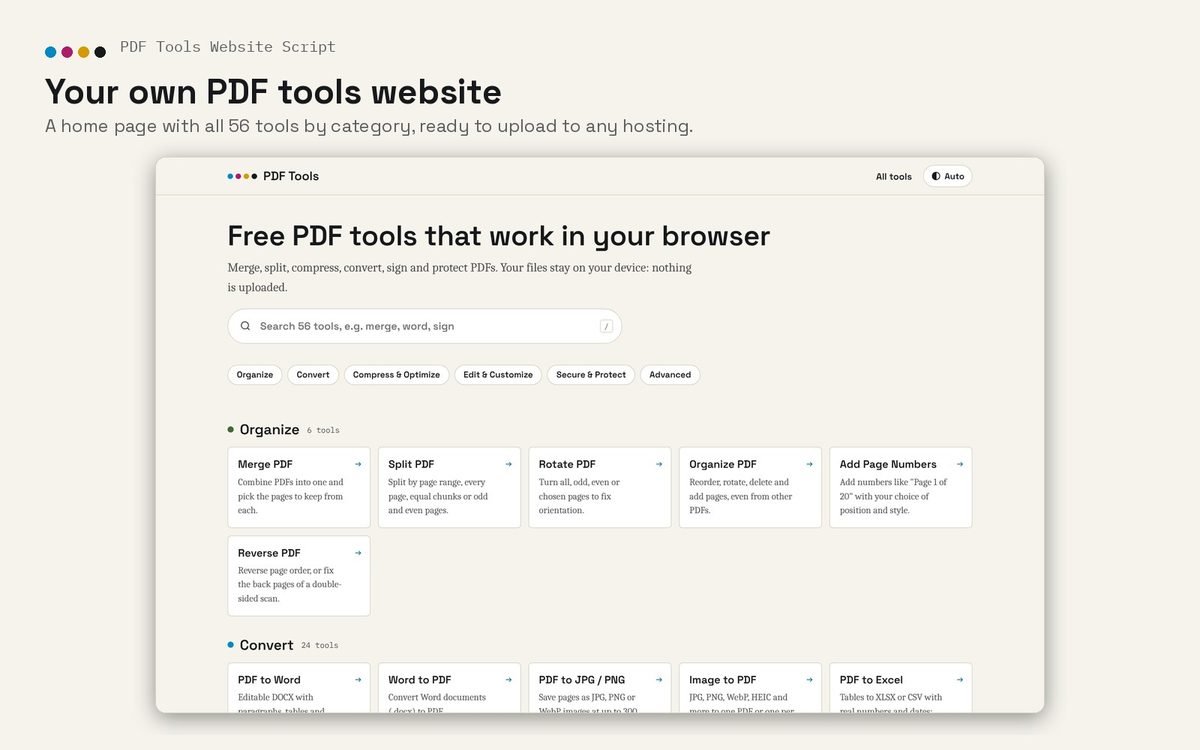
A ready-made PDF tools website with 56 tools. Plain HTML, CSS and JavaScript: no WordPress, no PHP, no database. Visitors' files are processed in their own browser and are never uploaded.
1. What is in the download
website/ | The website. Upload the contents of this folder to your hosting. |
ocr-languages/ | Optional: 22 more OCR languages (about 40 MB). See OCR languages. |
documentation/ | This guide. |
licensing/ | GPL license and the licenses of the included libraries and fonts. |
2. Requirements
- Any web hosting that serves files over https: shared hosting (cPanel, Hostinger, ...), a VPS, Netlify, Cloudflare Pages, GitHub Pages. No PHP or database needed.
- The site must be opened through a web address. Double-clicking
index.htmlon your computer shows the pages, but browsers block the PDF engine for local files, so the tools won't start. To try it on your computer, use any local web server (for example the "Live Server" extension in VS Code). - It works at the root of a domain (
https://example.com/) or in a folder (https://example.com/pdf/) without changes.
3. Upload to your hosting
Shared hosting (cPanel, Hostinger hPanel and similar)
- Unzip the download on your computer.
- Open your hosting's File Manager and go to
public_html(or a folder inside it, such aspublic_html/pdf). - Upload the files and folders inside
website/(not the folder itself). Tip: zip the contents, upload the zip, then use Extract. - Open your domain in a browser. The home page appears; open any tool and add a file to test it.
Apache servers use the included .htaccess (correct file types for the PDF engine and caching). If the site is at the root of your domain, you can turn on the custom 404 page by removing the # in front of ErrorDocument in that file. Files starting with a dot can be hidden in File Manager; turn on "show hidden files" if you want to see it.
Netlify, Cloudflare Pages or GitHub Pages
Drag the website folder into Netlify's deploy area, or create a Cloudflare Pages project / GitHub repository with the folder's contents. No build command is needed.
4. Settings (config.js)
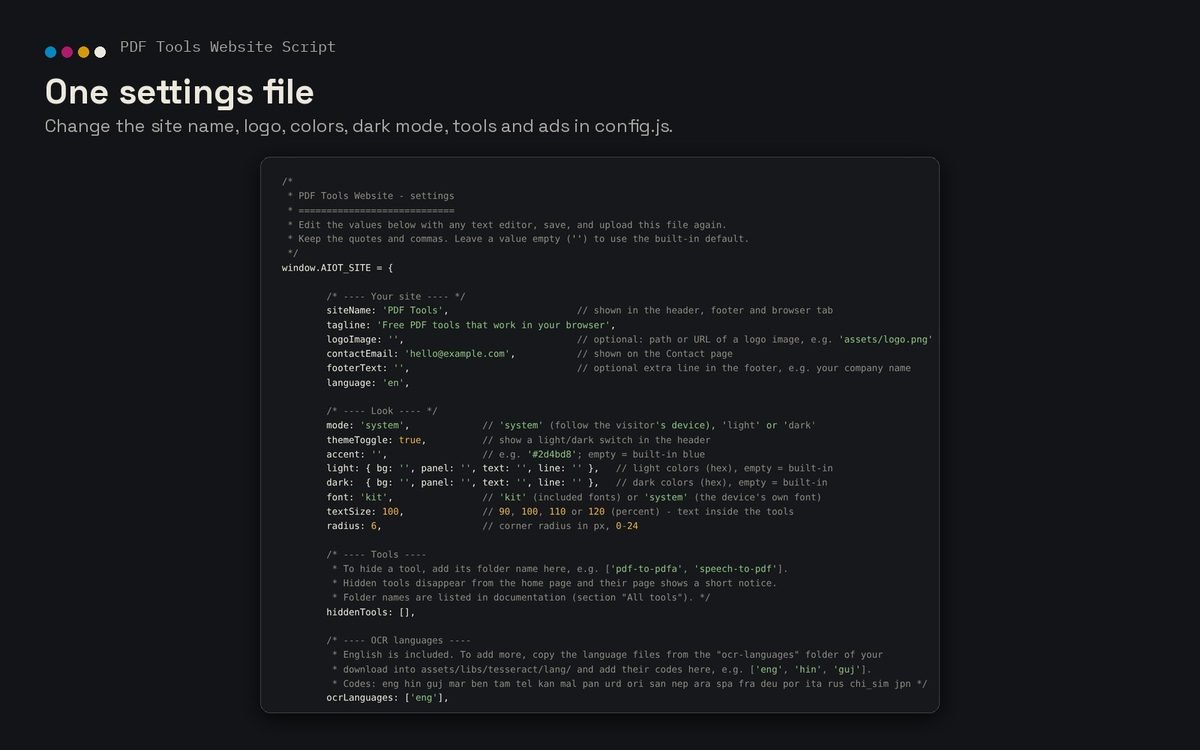
All settings are in config.js at the top of the website folder. Open it with any text editor (Notepad, VS Code, or your hosting's File Manager editor), change values, save and upload. Keep the quotes and commas.
| Setting | What it does |
|---|---|
siteName | Your site's name: header, footer and browser tab. |
tagline | Short line in the footer. |
logoImage | Optional logo image path or URL (about 32 px high), e.g. 'assets/logo.png'. Empty shows the colored dots. |
contactEmail | Shown on the Contact and Privacy pages. |
footerText | Optional extra footer line, e.g. your company name. |
mode | 'system' (follow the visitor's device), 'light' or 'dark'. |
themeToggle | true shows a light/dark switch in the header; the visitor's choice is kept in their browser. |
accent | Your brand color, e.g. '#2d4bd8'. A lighter shade is used in dark mode, and a darker shade for small text so it stays readable. |
light / dark | Background, panels, text and border colors for each mode. Empty = built-in. |
font | 'kit' (included fonts) or 'system' (the device's own font). |
textSize | 90, 100, 110 or 120 – text size inside the tools. |
radius | Corner radius in px (0–24). |
hiddenTools | Tools to hide. See Hiding tools. |
ocrLanguages | OCR languages you added. See OCR languages. |
ads | Ad code for the head, above and below each tool, and on the home page. See Adding ads. |
footerLinks | Footer links (text and address). |
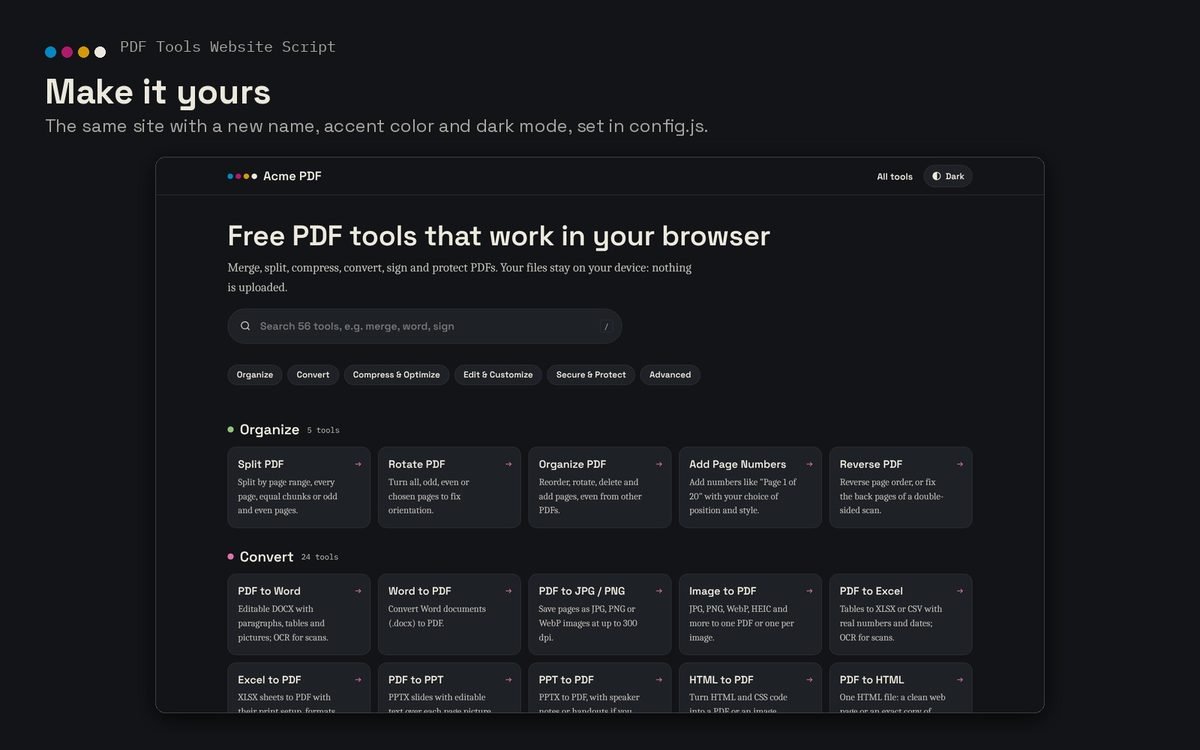
After uploading a changed config.js, reload the page. If you use a CDN or page cache, clear it.
5. Editing pages and text
- Home page heading and intro:
index.html(search for "Free PDF tools that work in your browser"). - Tool pages:
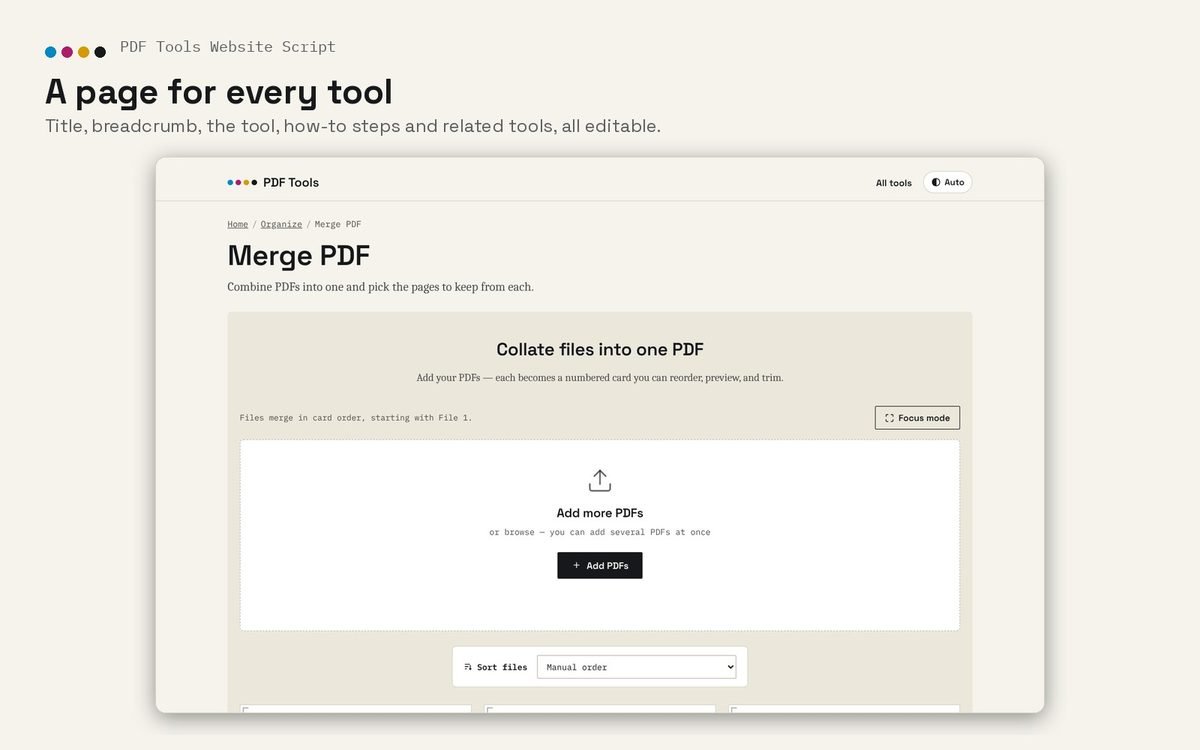
tools/<tool-folder>/index.html. Change the<title>, the<meta name="description">, the H1 and the intro line, and the "How to use" steps. Don't edit the part between<div class="s-tool">and its closing tag: that is the tool itself. - About, Privacy, Contact:
about.html,privacy.html,contact.html. Replace the text in square brackets in the privacy page with your details. - Logo and favicon: set
logoImagein config.js; replaceassets/favicon.svgwith your own icon.
6. Hiding tools
Add the tool's folder name to hiddenTools in config.js, e.g. hiddenTools: ['pdf-to-pdfa', 'speech-to-pdf']. The tool disappears from the home page and related-tool lists, and its page shows a short notice. To remove a tool completely, also delete its folder in tools/ and its line in sitemap.xml. Folder names are in the table below.
7. Adding ads
Paste your ad network's code into ads in config.js, between the backticks:
ads: {
  head: `<script async src="https://pagead2.googlesyndication.com/pagead/js/adsbygoogle.js?client=ca-pub-XXXX" crossorigin="anonymous"></script>`,
  top: `...ad unit code...`,
  bottom: `...ad unit code...`,
  home: `...ad unit code...`
}
head is added once per page; top and bottom appear around each tool; home appears below the search. Empty slots take no space. If you add ads, update your Privacy page: ad networks may set cookies and need a consent notice in some countries.
8. OCR languages
PDF OCR to Text, PDF to Word, PDF to Excel and PDF Storyboard read scanned pages with Tesseract OCR. The engine and English are included and served from your own hosting. To add more languages:
- Copy the files you need from the download's
ocr-languages/folder (for examplehin.traineddata.gz,guj.traineddata.gz) intowebsite/assets/libs/tesseract/lang/on your hosting. - In config.js, list the codes:
ocrLanguages: ['eng', 'hin', 'guj'].
Codes: eng (included) and hin, guj, mar, ben, tam, tel, kan, mal, pan, urd, ori, san, nep, ara, spa, fra, deu, por, ita, rus, chi_sim, jpn. A visitor's browser downloads the engine (about 4 MB) and only the languages they tick, once.
9. SEO: sitemap, titles, content
- Sitemap: open
sitemap.xmlandrobots.txtand replacehttps://example.comwith your address (keep the folder if you installed in one, e.g.https://example.com/pdf). Then submit the sitemap in Google Search Console. - Titles and descriptions: each page has its own
<title>and meta description; the browser tab adds your site name. - Write your own text: search engines rank pages with useful, original content. Add your own explanation, examples and FAQ to the tool pages that matter most to you.
10. All 56 tools
| Tool | Folder | What it does |
|---|---|---|
| Organize 6 tools | ||
| Merge PDF | tools/merge-pdf/ | Combine PDFs into one and pick the pages to keep from each. |
| Split PDF | tools/split-pdf/ | Split by page range, every page, equal chunks or odd and even pages. |
| Rotate PDF | tools/rotate-pdf/ | Turn all, odd, even or chosen pages to fix orientation. |
| Organize PDF | tools/organize-pdf/ | Reorder, rotate, delete and add pages, even from other PDFs. |
| Add Page Numbers | tools/add-page-numbers/ | Add numbers like "Page 1 of 20" with your choice of position and style. |
| Reverse PDF | tools/reverse-pdf/ | Reverse page order, or fix the back pages of a double-sided scan. |
| Convert 24 tools | ||
| PDF to Word | tools/pdf-to-word/ | Editable DOCX with paragraphs, tables and pictures; OCR for scans. |
| Word to PDF | tools/word-to-pdf/ | Convert Word documents (.docx) to PDF. |
| PDF to JPG / PNG | tools/pdf-to-image/ | Save pages as JPG, PNG or WebP images at up to 300 dpi. |
| Image to PDF | tools/image-to-pdf/ | JPG, PNG, WebP, HEIC and more to one PDF or one per image. |
| PDF to Excel | tools/pdf-to-excel/ | Tables to XLSX or CSV with real numbers and dates; OCR for scans. |
| Excel to PDF | tools/excel-to-pdf/ | XLSX sheets to PDF with their print setup, formats and charts. |
| PDF to PPT | tools/pdf-to-powerpoint/ | PPTX slides with editable text over each page picture. |
| PPT to PDF | tools/powerpoint-to-pdf/ | PPTX to PDF, with speaker notes or handouts if you want. |
| HTML to PDF | tools/html-to-pdf/ | Turn HTML and CSS code into a PDF or an image. |
| PDF to HTML | tools/pdf-to-html/ | One HTML file: a clean web page or an exact copy of each page. |
| Markdown to PDF | tools/markdown-to-pdf/ | README or notes to a PDF with headings, tables, code and links. |
| PDF to Markdown | tools/pdf-to-markdown/ | A .md file with headings, lists and tables. |
| Text to PDF | tools/text-to-pdf/ | Typed or .txt text to PDF, including Gujarati and Hindi. |
| Extract Images | tools/extract-images/ | Copy out original JPEGs and other images as PNG, in one ZIP. |
| JSON to PDF | tools/json-to-pdf/ | JSON as readable code, a table of records or an outline. |
| PDF to JSON | tools/pdf-to-json/ | Extract PDF text and tables into structured JSON. |
| CSV to PDF | tools/csv-to-pdf/ | Convert CSV spreadsheets to clean PDF tables. |
| PDF to XML | tools/pdf-to-xml/ | Well-formed XML with lines, paragraphs and positions. |
| XML to PDF | tools/xml-to-pdf/ | XML as readable code, a table of records or an outline. |
| PDF to ZIP | tools/pdf-to-zip/ | Zip PDFs whole or split, with an optional password. |
| ZIP to PDF | tools/zip-to-pdf/ | Combine the PDFs, images and text files in a ZIP into one PDF. |
| Speech to PDF | tools/speech-to-pdf/ | Dictate in English, Gujarati, Hindi and more, then save as PDF. |
| GIF to PDF | tools/gif-to-pdf/ | Convert animated or static GIF files into PDF pages. |
| PDF to PDF/A | tools/pdf-to-pdfa/ | Make a PDF/A-1b, 2b or 3b copy for long-term archiving. |
| Compress & Optimize 5 tools | ||
| Compress PDF | tools/compress-pdf/ | Shrink the images inside; text stays sharp and selectable. |
| PDF Resize | tools/resize-pdf/ | Change page size to A4, Letter, A3 or custom, with fit options. |
| PDF Enhancer | tools/enhance-pdf/ | Whiten scans, fix brightness and contrast, and sharpen text. |
| PDF to Grayscale | tools/pdf-to-grayscale/ | Turn color pages gray; text stays selectable. |
| Repair PDF | tools/repair-pdf/ | Rebuild a damaged PDF's structure so it opens again. |
| Edit & Customize 10 tools | ||
| Edit PDF | tools/edit-pdf/ | Change text and images already in the PDF, or add new ones. |
| Fill PDF Form | tools/fill-pdf-form/ | Type into a PDF form's own boxes, tick boxes and save or flatten it. |
| Crop PDF | tools/crop-pdf/ | Crop with a drag box, exact sizes or fit to content. |
| Add Watermark | tools/add-watermark/ | Add a text or logo watermark, once or repeated. |
| Metadata Editor | tools/pdf-metadata/ | Change the title, author, subject and keywords saved in a PDF. |
| Add Margins | tools/add-margins/ | Add space around pages for binding, notes or clean printing. |
| Flatten PDF | tools/flatten-pdf/ | Make form answers and comments a fixed part of the page. |
| PDF Color Inverter | tools/pdf-color-inverter/ | Invert PDF colors for dark mode and high-contrast reading. |
| PDF Color Overlay | tools/pdf-color-overlay/ | Tint pages or add a colored band, with blend modes. |
| PDF Filter Studio | tools/pdf-filter-studio/ | Brightness, contrast, sepia, sharpen and more, with presets. |
| Secure & Protect 5 tools | ||
| Protect PDF | tools/protect-pdf/ | Add an AES-256 password and limit printing or copying. |
| Unlock PDF | tools/unlock-pdf/ | Remove a password you know, and printing or copying limits. |
| Sign PDF | tools/sign-pdf/ | Draw, type or upload a signature, plus dates and stamps. |
| Redact PDF | tools/redact-pdf/ | Remove private details for good; finds PAN, Aadhaar and phone numbers. |
| Blur PDF | tools/blur-pdf/ | Blur areas or found details; the text underneath is removed. |
| Advanced 6 tools | ||
| PDF OCR to Text | tools/pdf-to-text/ | Make scans searchable or extract their text, in up to 23 languages. |
| Compare PDF | tools/pdf-compare/ | Find and mark every added, removed and changed word. |
| PDF Analyzer | tools/pdf-analyzer/ | Analyze structure, fonts, security and document health. |
| PDF Listener | tools/pdf-listener/ | Hear a PDF read aloud with the voices on your device. |
| PDF Storyboard | tools/pdf-storyboard-generator/ | Turn PDF pages into storyboard sheets with captions. |
| Image Storyboard to PDF | tools/image-storyboard-to-pdf/ | Turn images into a storyboard PDF with titles and notes. |
11. Privacy
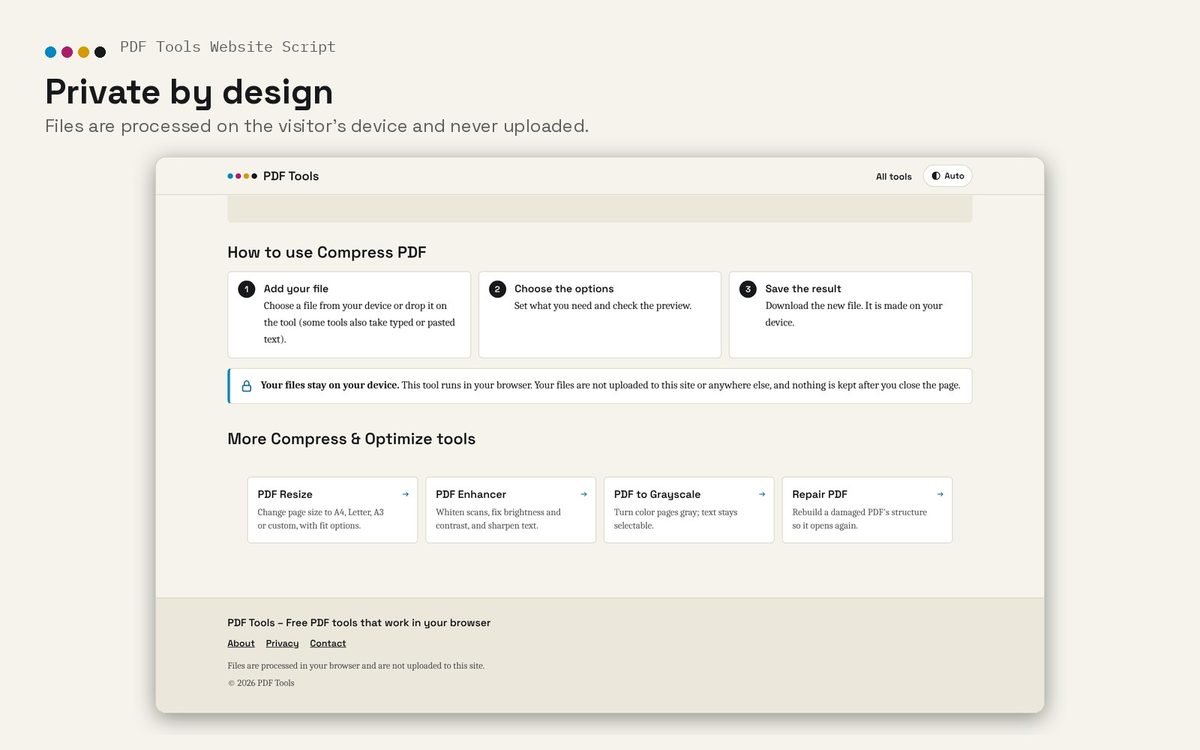
- Files are opened and processed in the visitor's browser and are never uploaded – your hosting only serves the pages and script files.
- The script sets no cookies, has no analytics or tracking and makes no calls to outside services. All libraries and fonts are included. (Ads you add may change this; see Adding ads.)
- In the visitor's own browser, the tools remember display choices (such as preview size or light/dark mode). Speech to PDF keeps the text draft, Sign PDF keeps signatures the visitor chooses to save, and Image Storyboard to PDF keeps a draft of the board – each with a button that removes it. You never receive any of it.
- Speech to PDF uses on-device speech recognition where the browser offers it; elsewhere, dictation starts only after the visitor ticks "Use my browser's online speech service". PDF Listener uses only voices installed on the device. HTML to PDF and Markdown to PDF load pictures or stylesheets that the visitor's own code links to.
12. Browsers and limits
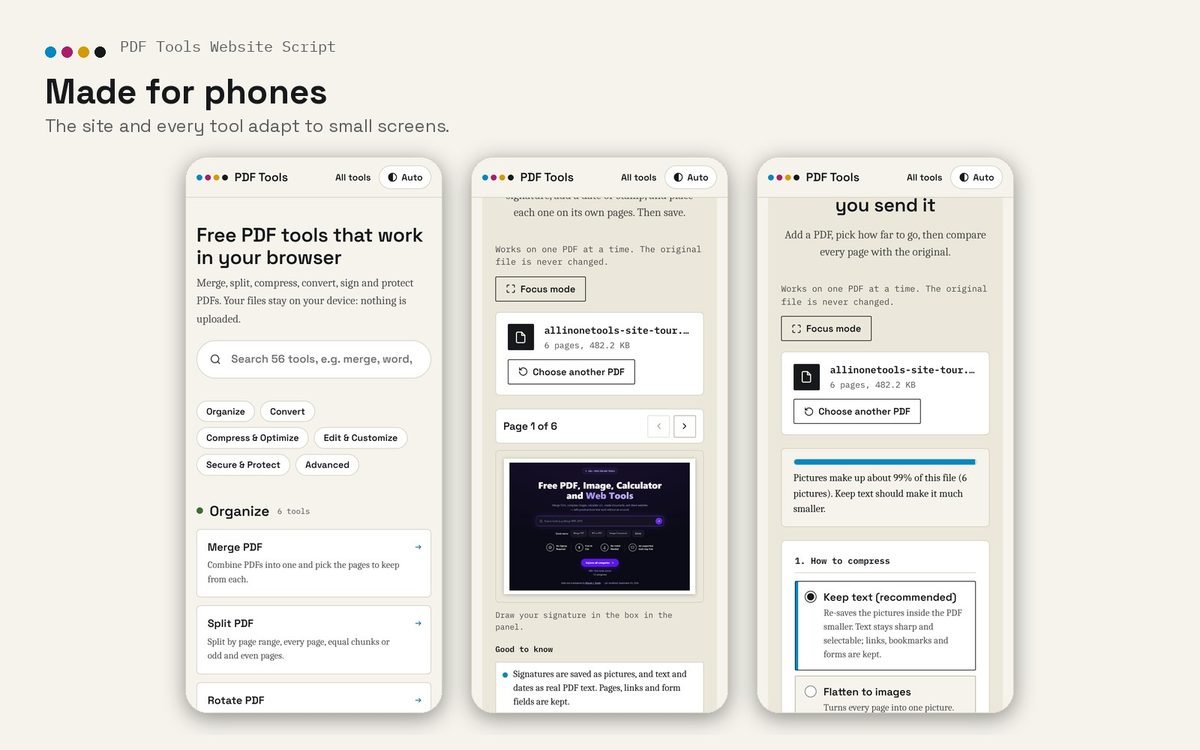
- Current Chrome, Edge, Firefox and Safari on desktop and mobile.
- Very large files are limited by the visitor's device memory; each tool names its limit.
- HEIC and TIFF images open only in browsers that can show them (Safari).
- Word, Excel and PowerPoint conversions suit everyday documents; complex layouts may need touching up.
- Speech to PDF needs Chrome, Edge or Safari.
- Tool texts are in English.
13. FAQ and troubleshooting
- The pages show, but the tools don't start.
- Open the site through its web address (https), not as a file on your computer. If it is online, check that all folders were uploaded (especially
assets/libs/) and that your server sends.wasmfiles asapplication/wasm(the included.htaccessdoes this on Apache). - My changes to config.js don't show.
- Reload the page (Ctrl+F5). If you use Cloudflare or another cache, purge it.
- Can I translate the site?
- The page texts (titles, intros, steps, About/Privacy/Contact) are plain HTML you can translate. The texts inside the tools are in English in this version.
- Can I use it for a client?
- Yes, under the license you bought from the marketplace (Regular license: one end product).
- Do I need a server for processing?
- No. Everything runs in the visitor's browser.
14. Updating
Download the new version from your Downloads page. Keep your edited config.js, sitemap.xml, robots.txt and any pages you changed, upload the rest over the old files, and clear your cache.
15. Support
Support is given through the item's Support tab on the marketplace: questions about the features, help with reported bugs, and help with the included files. Customization and hosting setup are not included. Please include your site's address, which tool, your browser, and a screenshot. Please don't send customer files.
16. Credits and licenses
| PDF.js 6.4.299 – Mozilla Foundation | Apache License 2.0 |
| pdf-lib 1.17.1 – Andrew Dillon | MIT |
| SortableJS 1.15.7 | MIT |
| Tesseract.js 7.0.0 and tesseract.js-core 7.0.0; language data from tessdata_best | Apache License 2.0 |
| Space Grotesk, IBM Plex Mono, Dancing Script, Great Vibes, Marck Script, Sacramento fonts (via Fontsource) | SIL Open Font License 1.1 |
The script's own code is licensed under the GPL version 2 or later.
17. Changelog
1.0.0
- First release: 56 tools, home page with search, tool pages, About/Privacy/Contact/404, config.js settings, ads slots, sitemap and robots.