Invoice Tools Website Script · version 1.0.0
Documentation
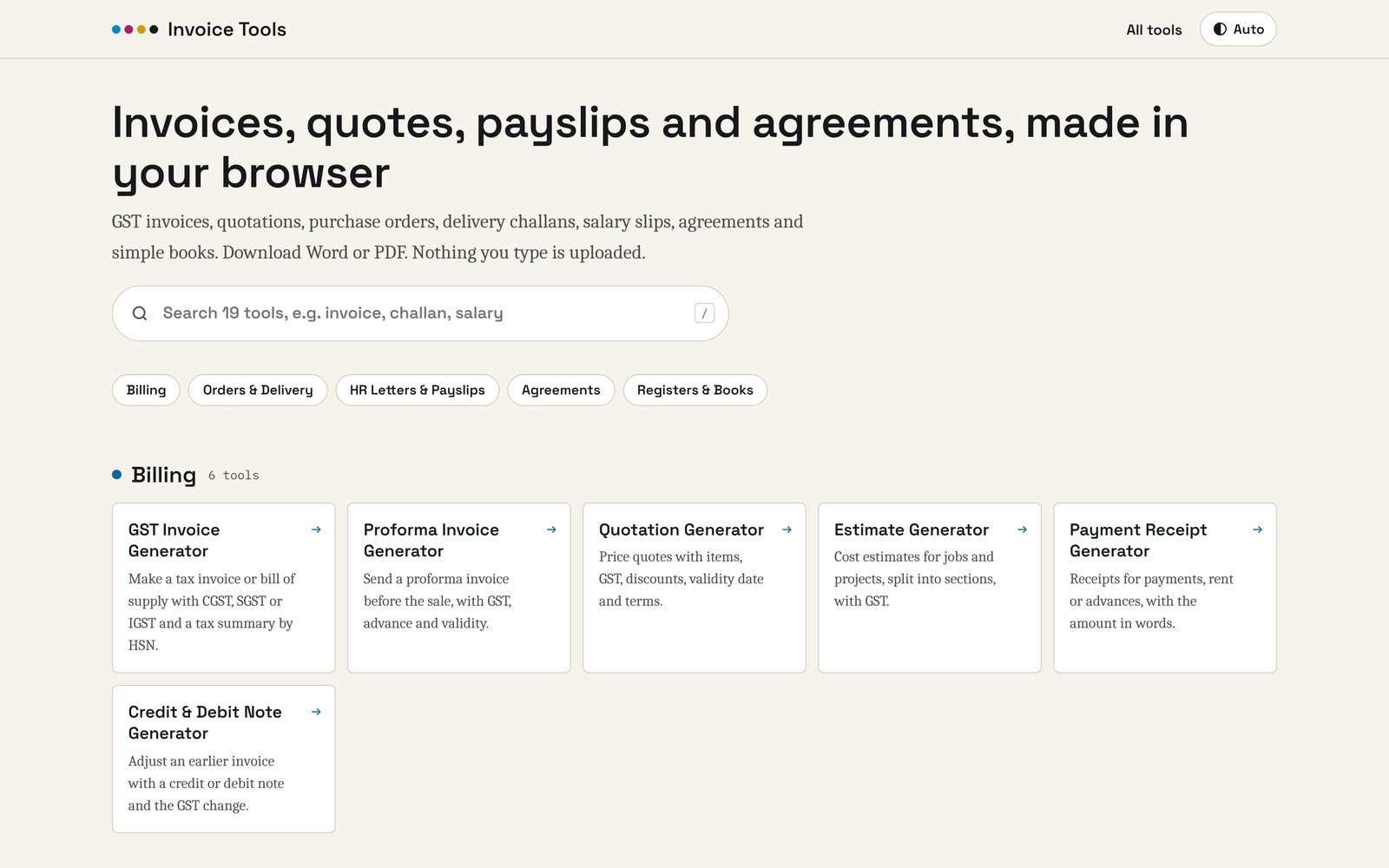
A ready-made website with 19 business document tools: GST invoice, quotation, purchase order, delivery challan, salary slip, HR letters, agreements, registers and simple books. Plain HTML, CSS and JavaScript: no WordPress, no database. The documents are made in the visitor's own browser.
1. What is in the download
website/ | The website. Upload the contents of this folder. |
documentation/ | This guide. |
licensing/ | The GPL license and the font licenses. |
README-FIRST.txt | The quick steps. |
Inside website/: index.html (home with all tools and search), tools/ (one folder per tool), about.html, privacy.html, contact.html, 404.html, config.js (your settings), sitemap.xml, robots.txt, assets/ and api/ (only for the optional AI drafting).
2. Requirements
- Any web hosting that serves files: shared hosting (Hostinger, cPanel), a VPS, or static hosts such as Netlify, Cloudflare Pages or GitHub Pages.
- No database. No PHP, except for the optional AI drafting with your own key (PHP 7.4 or newer, with curl).
- HTTPS is recommended.
- Visitors: a current Chrome, Edge, Firefox or Safari, on desktop or mobile.
3. Upload to your hosting
- Unzip the download on your computer.
- Upload everything inside the
websitefolder to your site's folder, for examplepublic_html(Hostinger: hPanel > File Manager > public_html > Upload). You can also upload a zip of it and use Extract. - Open your domain. The home page lists all tools. Open one and press Example to test it.
- Edit
config.jsto set your site name and colors (next section).
The site also works in a sub-folder, for example example.com/tools-site/: all links are relative.
4. Settings (config.js)
Open config.js in any text editor (Hostinger File Manager has one), change the values, save. Keep the quotes and commas.
siteName, tagline | Shown in the header, footer and browser tab. |
logoImage | Optional logo, e.g. 'assets/logo.png' (about 32 px high). Without it, four colored dots are shown. |
contactEmail, footerText | Contact and Privacy pages; an extra footer line. |
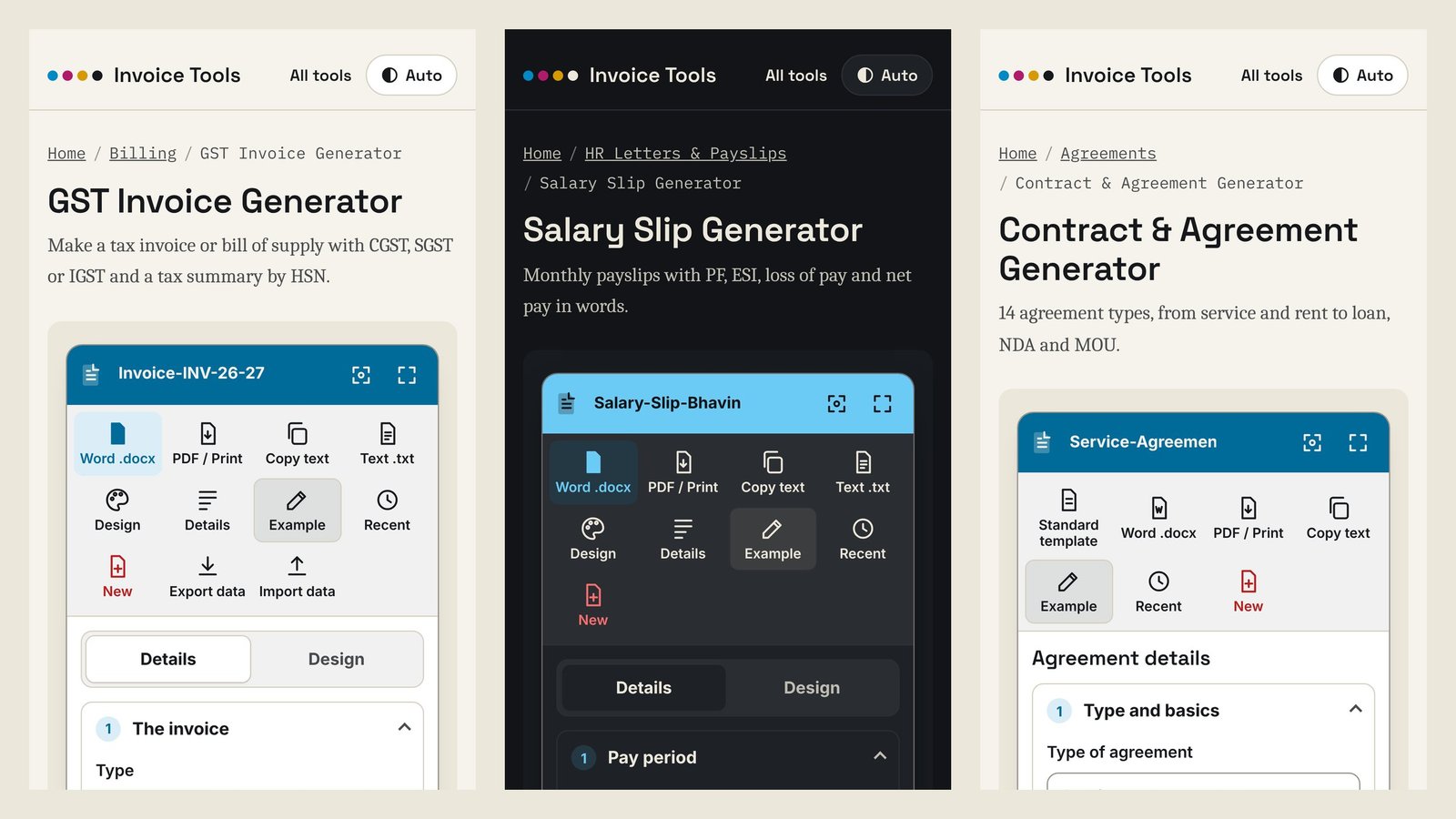
mode, themeToggle | Light, dark or follow the device; show the visitor switch. |
accent, light, dark | Your colors (hex). Empty values keep the built-in ones. Readable text shades are worked out from your accent. |
font, textSize, radius | Included Space Grotesk headings or the device font; tool size 90–120%; corner radius. |
hiddenTools | Tools to hide (section 6). |
ai, aiVisitorKeys, aiApi | Optional AI drafting (section 8). Off by default. |
ads | Ad code for the head, above and below each tool, and the home page (section 7). |
footerLinks | The links in the footer. |
5. Editing pages and text
- About, Privacy, Contact: edit
about.html,privacy.htmlandcontact.html. The privacy page has text in [square brackets] for you to complete. - Tool pages: each
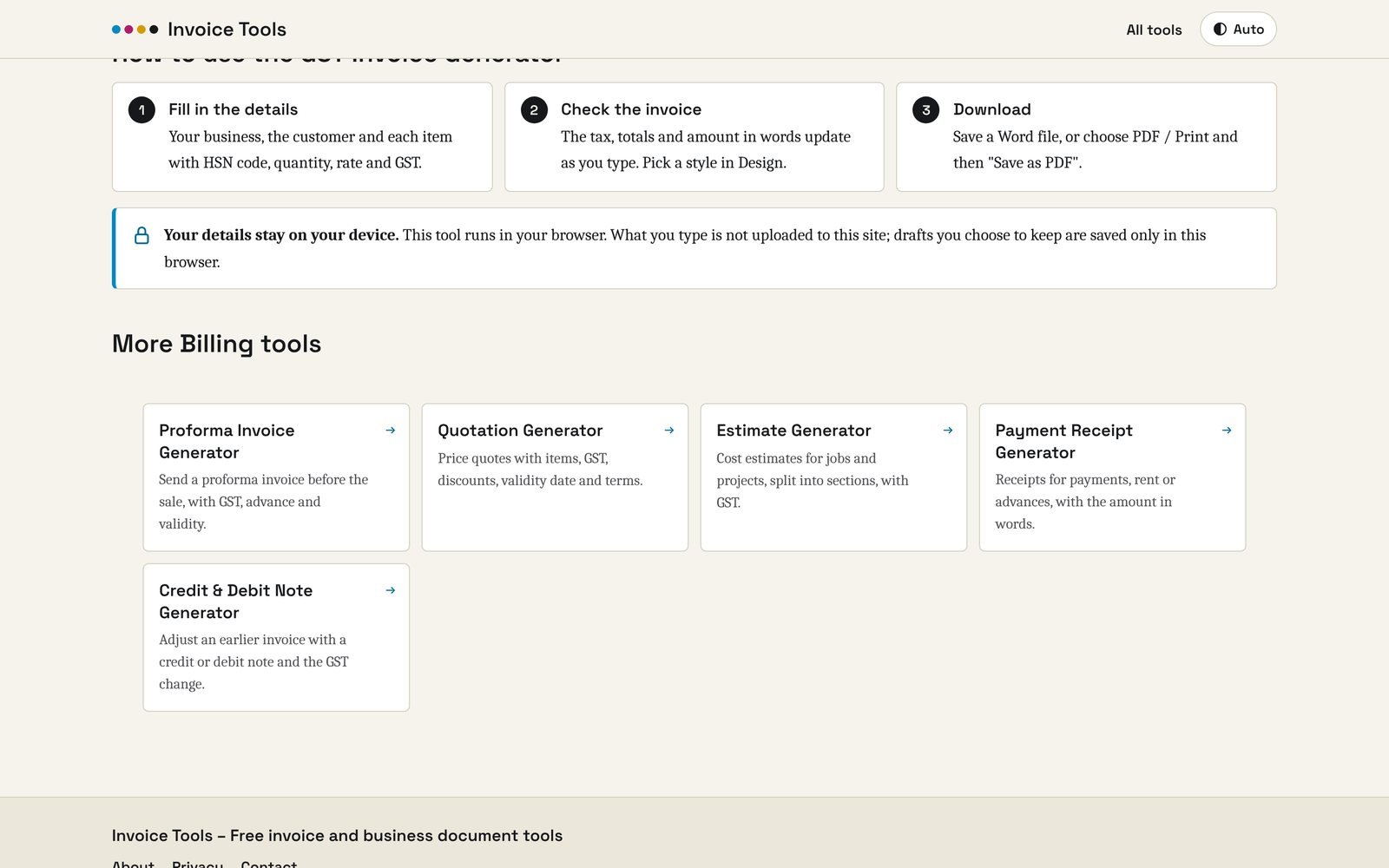
tools/<name>/index.htmlhas the title, meta description, breadcrumb, an intro line, the tool, three how-to steps, a privacy note and related tools. Edit the text between the tags; do not change the tool part (the block that starts with<div class="aiotinv-wrap">). - Home page:
index.htmlheading, intro and tool cards.
6. Hiding tools
Add the folder name to hiddenTools, for example hiddenTools: ['register-maker', 'accounting-software']. The tool disappears from the home page and related lists, and its page shows a short notice. To remove a tool completely, also delete its folder and its line in sitemap.xml.
7. Adding ads
Paste your ad network's code between the backticks in ads: head (loaded once per page, e.g. the AdSense script), top and bottom (around each tool) and home. Empty means no ads. If you add ads, update your privacy page: ad networks may set cookies.
8. AI drafting for agreements (optional)
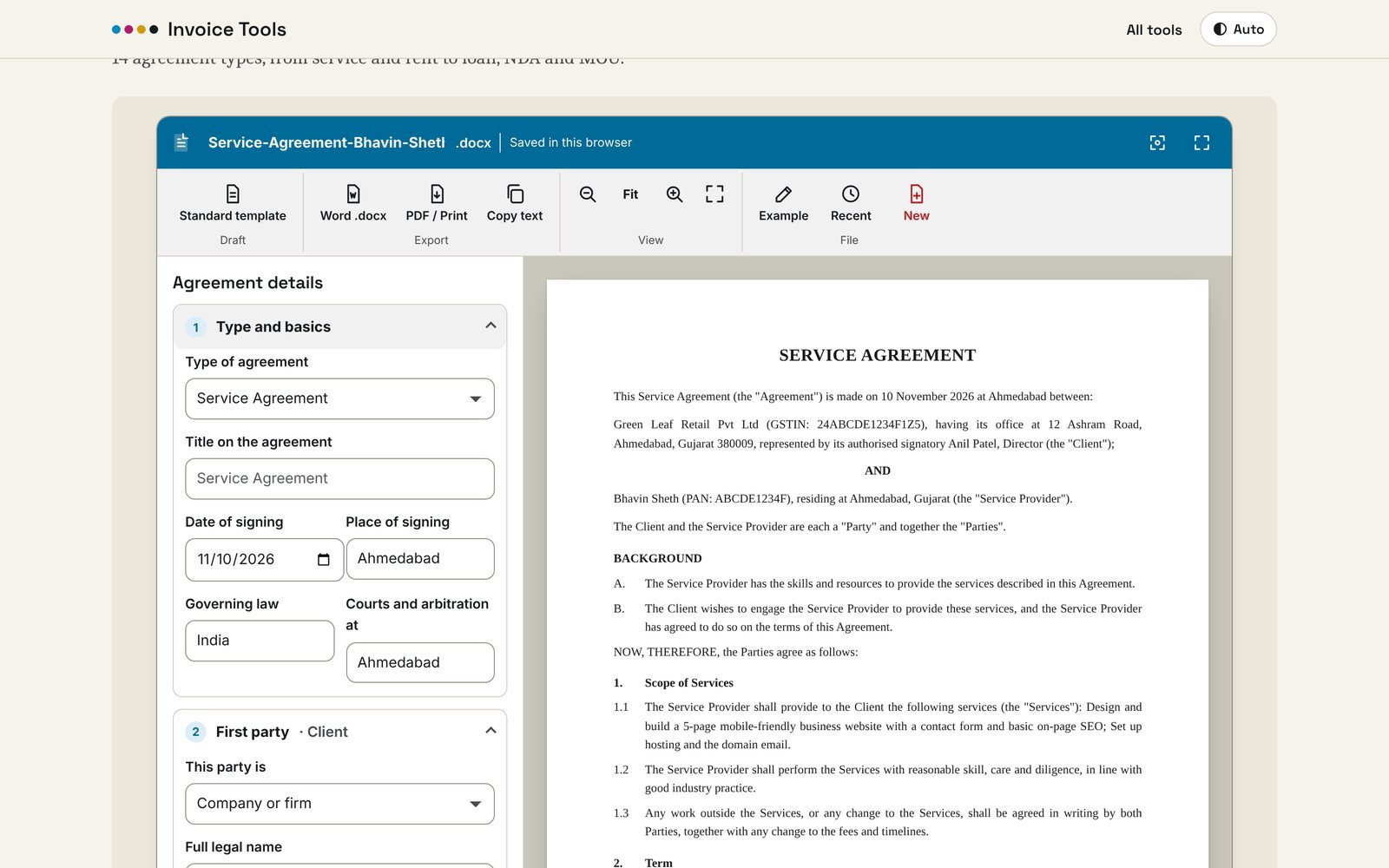
The Contract & Agreement, Partnership Deed and Joint Venture Agreement tools always include a standard template that is filled in the visitor's browser, with no AI and nothing sent anywhere. That is how they work out of the box.
You can also show a Write with AI button, which writes a tailored draft in 16 languages with Google Gemini or OpenRouter. There are two ways, and you can use both:
A. Your key on your server (needs PHP 7.4+)
- Get a key:
https://aistudio.google.com/app/apikey(Gemini, has a free tier) and/orhttps://openrouter.ai/keys. - Open
api/config.php, paste the key, set'enabled' => true, and check the limits (default: 10 drafts per visitor per hour, 30 per day, 600 AI calls per day for the whole site). - In
config.jssetai: true. - Make sure PHP can write to
api/data/(permission 755 is usually enough). - Test: open
yourdomain.com/api/ai.php/agreement/status; it should show"gemini":trueor"openrouter":true. Then press Write with AI on the agreement page.
Keep your key safe: never put a key in config.js or any .html file – anyone can read those. api/config.php runs on the server and is never shown to visitors; api/.htaccess also blocks it, and the lib and data folders, on Apache and LiteSpeed. On nginx add: location ~ ^/api/(config\.php|lib/|data/) { deny all; }. You can also set the environment variables AIOT_GEMINI_API_KEY / AIOT_OPENROUTER_API_KEY instead of writing the key in the file.
The endpoint answers only requests that come from your tool page, turns away common bots, and counts usage with a salted hash of the visitor's IP address (never the address itself) in api/data/; the counters expire within a day.
B. Visitors' own keys (no PHP needed)
Set aiVisitorKeys: true. Visitors can paste their own free Gemini or OpenRouter key. It stays in their browser tab and is sent from their browser straight to the AI; it never reaches your site and costs you nothing. With A switched on as well, visitors are offered their own key when your limit is reached.
When either is on, the agreement details a visitor sends with Write with AI go to the AI service. Keep the AI paragraph in privacy.html. AI drafts can contain mistakes; the tools advise having agreements checked by a lawyer.
9. SEO: sitemap, titles, content
- Sitemap: in
sitemap.xmlandrobots.txtreplacehttps://example.comwith your address (keep the folder if you installed in one). Submit the sitemap in Google Search Console. - Titles and descriptions: every page has its own title and meta description; the browser tab adds your site name.
- Write your own text: search engines rank useful, original pages. Add your own explanations, examples and FAQ to the tool pages that matter most to you.
robots.txtkeeps theapi/folder out of search results.
10. All 19 tools
| Tool and folder | What it does | Downloads |
|---|---|---|
| Billing6 tools | ||
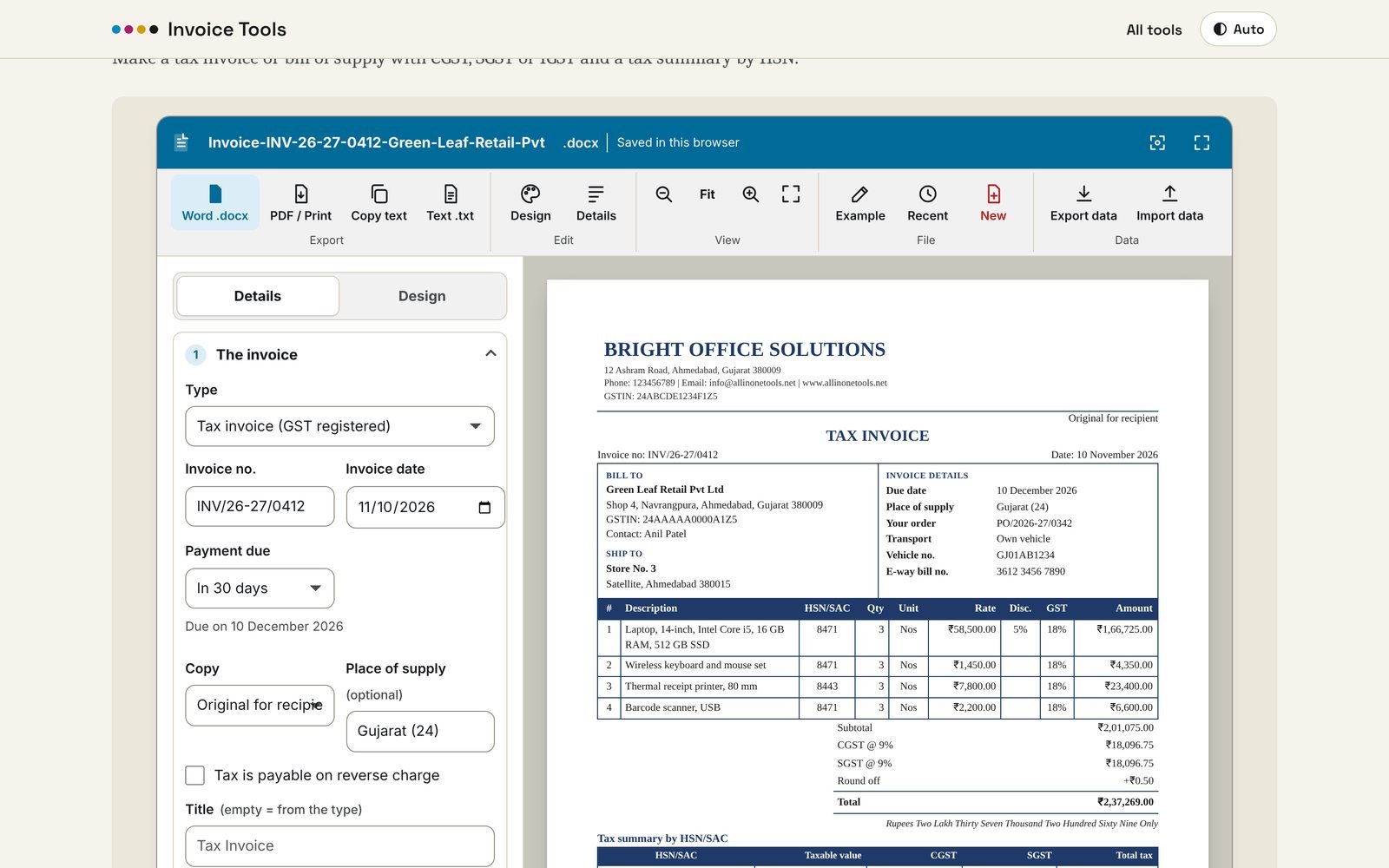
GST Invoice Generatortools/invoice-generator/ | Make a tax invoice or bill of supply with CGST, SGST or IGST and a tax summary by HSN. | Word .docx, PDF/print |
Proforma Invoice Generatortools/proforma-invoice-generator/ | Send a proforma invoice before the sale, with GST, advance and validity. | Word .docx, PDF/print |
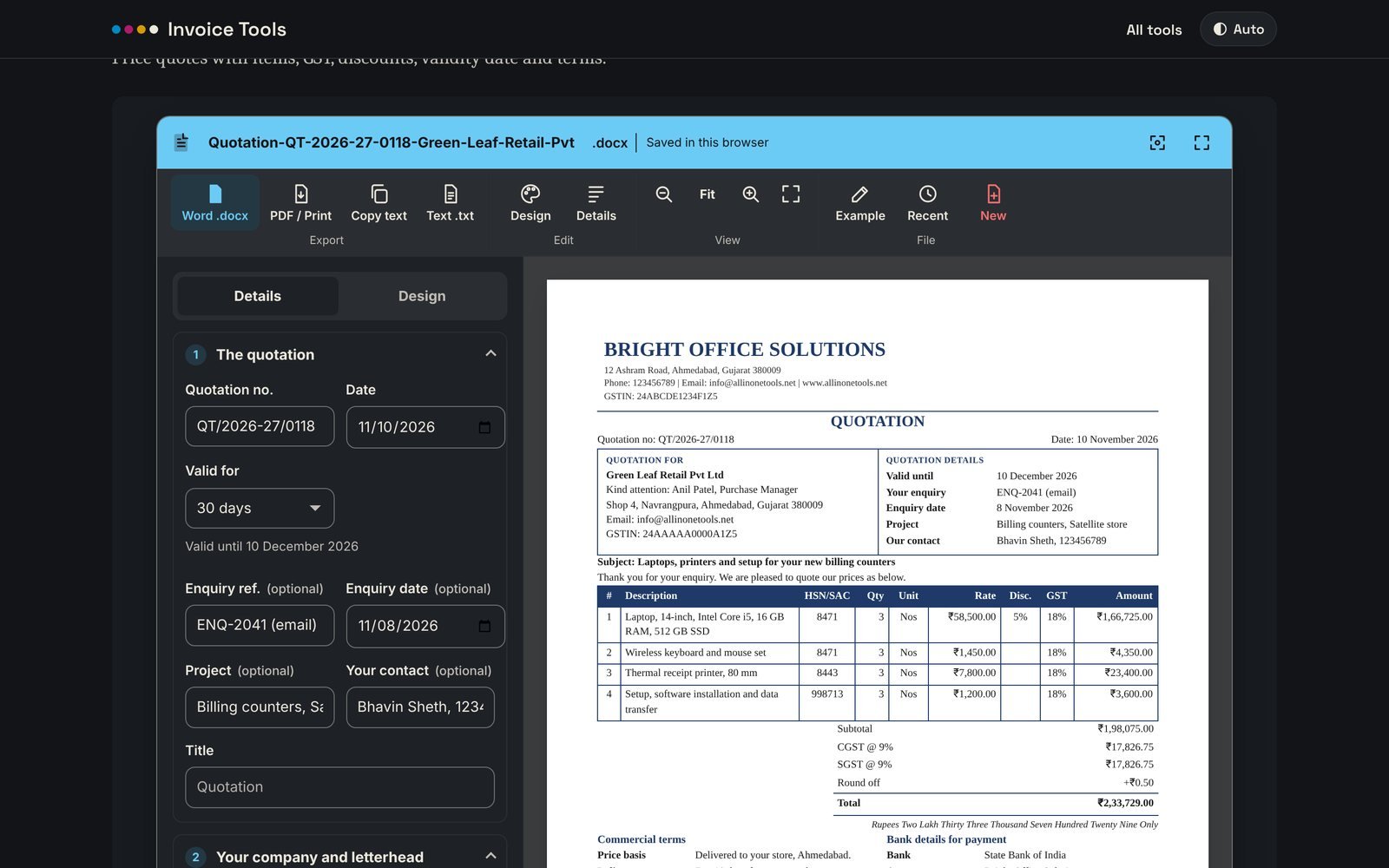
Quotation Generatortools/quotation-generator/ | Price quotes with items, GST, discounts, validity date and terms. | Word .docx, PDF/print |
Estimate Generatortools/estimate-generator/ | Cost estimates for jobs and projects, split into sections, with GST. | Word .docx, PDF/print |
Payment Receipt Generatortools/payment-receipt-generator/ | Receipts for payments, rent or advances, with the amount in words. | Word .docx, PDF/print |
Credit & Debit Note Generatortools/credit-debit-note-generator/ | Adjust an earlier invoice with a credit or debit note and the GST change. | Word .docx, PDF/print |
| Orders & Delivery4 tools | ||
Purchase Order Generatortools/purchase-order-maker/ | Order goods from a supplier with items, GST, delivery date and terms. | Word .docx, PDF/print |
Work Order Generatortools/work-order-maker/ | Give a contractor a work order with scope, site, dates and rates. | Word .docx, PDF/print |
Delivery Challan Generatortools/delivery-challan-generator/ | Send goods without a sale, for job work or approval, with transport details. | Word .docx, PDF/print |
Stock Transfer Note Generatortools/stock-transfer-note-generator/ | Move stock between your branches, godowns or warehouses. | Word .docx, PDF/print |
| HR Letters & Payslips3 tools | ||
Salary Slip Generatortools/salary-slip-generator/ | Monthly payslips with PF, ESI, loss of pay and net pay in words. | Word .docx, PDF/print |
Appointment Letter Generatortools/appointment-letter-generator/ | Offer and appointment letters with a salary table and terms. | Word .docx, PDF/print |
Experience Letter Generatortools/work-experience-letter-generator/ | Experience, relieving and internship letters. | Word .docx, PDF/print |
| Agreements3 tools | ||
Contract & Agreement Generatortools/agreement-generator/ | 14 agreement types, from service and rent to loan, NDA and MOU. | Word .docx, PDF/print |
Partnership Deed Generatortools/partnership-deed-generator/ | Deeds for a new firm, a change of partners or dissolution. | Word .docx, PDF/print |
Joint Venture Agreement Generatortools/joint-venture-agreement-generator/ | Agreements for a joint project or a tender bid. | Word .docx, PDF/print |
| Registers & Books3 tools | ||
Register Makertools/register-maker/ | Sales, purchase, inward, outward and cash book registers; stock is worked out. | Excel .xlsx, CSV, PDF/print, backup |
Project Expense Trackertools/project-expense-tracker/ | Expenses and payments by project, with budgets and reports. | Excel .xlsx, CSV, PDF/print, backup |
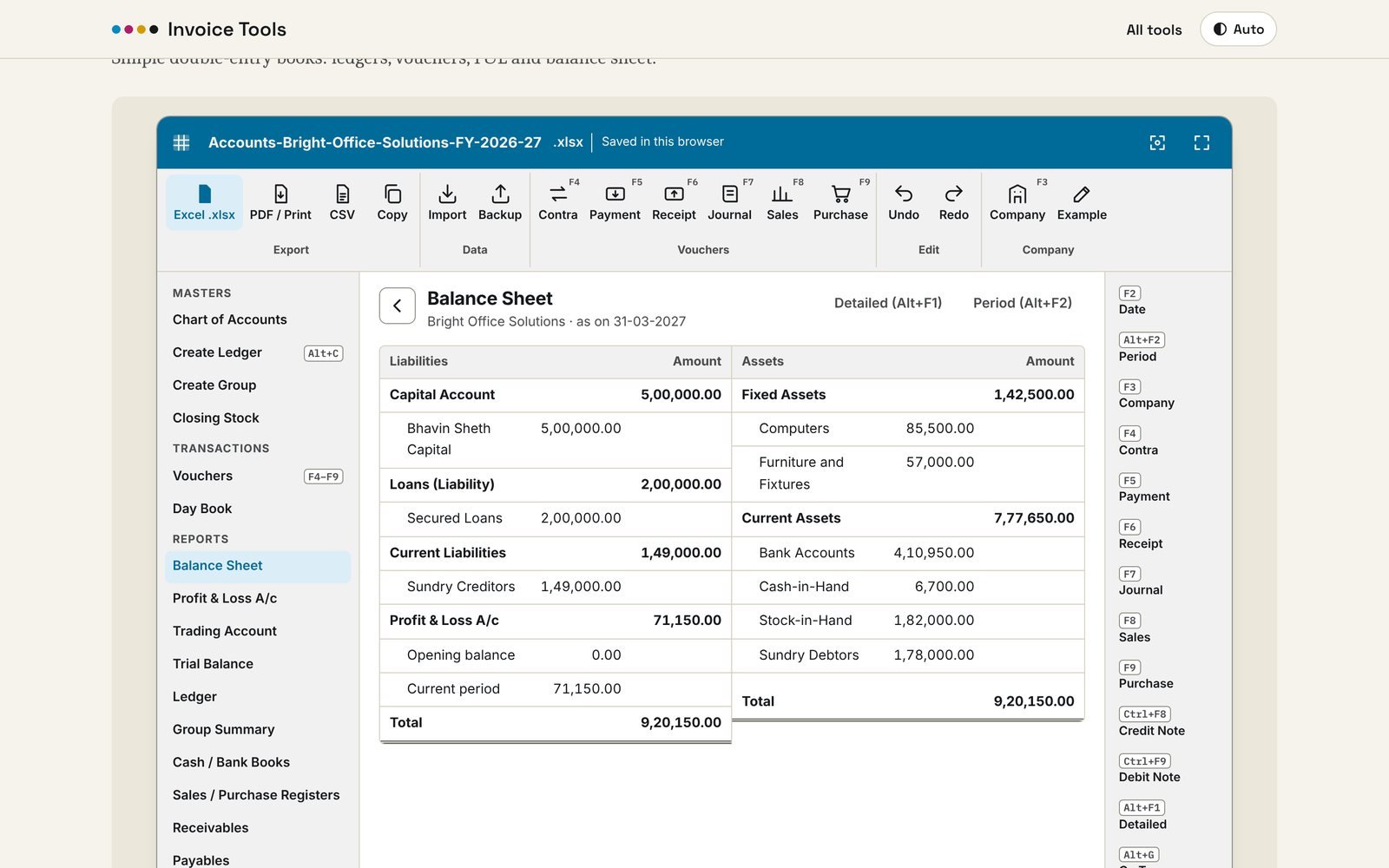
Accounting Bookstools/accounting-software/ | Simple double-entry books: ledgers, vouchers, P&L and balance sheet. | Excel .xlsx, CSV, PDF/print, backup |
The 13 billing, order and HR tools have a Design panel (5 ready-made styles and per-part styling), logo, letterhead and signature images, Example, Recent and New. Registers and books work like a spreadsheet.
11. Word, PDF and Excel files
- Word .docx: real Word files built in the browser; they open in Word, Google Docs and LibreOffice.
- PDF / Print: opens the browser's print window; choose Save as PDF (turn on "Background graphics" to keep colors). The tools do not create PDF files by themselves.
- Excel .xlsx and CSV: registers, expense tracker and books, one sheet per register or report.
- Backup / Export data: a file the visitor keeps and can import again on another device.
12. Privacy
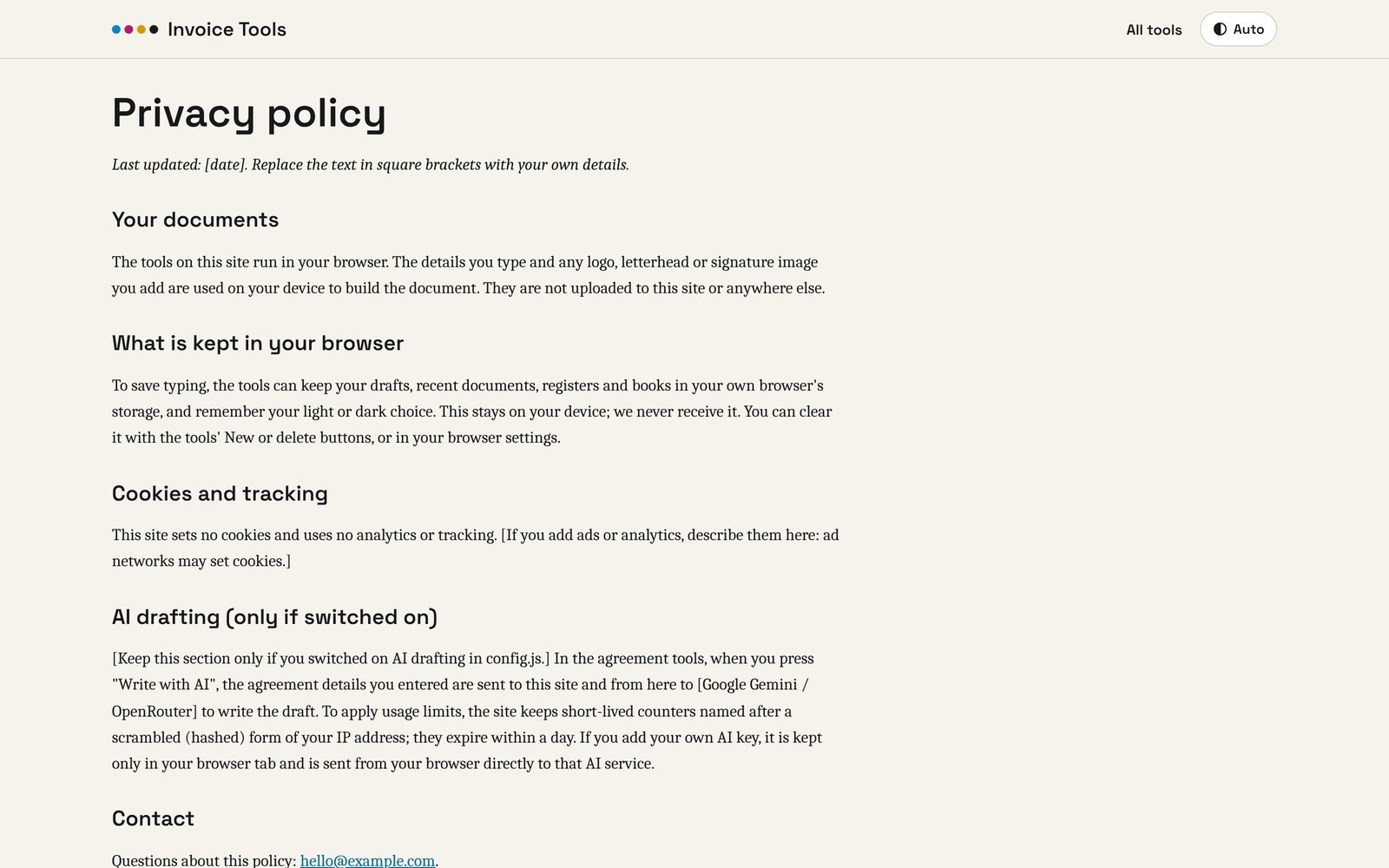
- Documents are made in the visitor's browser. What they type and any logo, letterhead or signature image is not uploaded.
- No cookies, no analytics, no tracking, no license check, no calls to the author. Fonts and scripts are served from your site; nothing loads from a CDN.
- Drafts, recent documents, books and the light/dark choice are kept in the visitor's own browser storage, with buttons to clear them.
- Only with AI switched on (section 8) are agreement details sent to an AI service, when a visitor presses Write with AI.
13. Browsers and limits
- Current Chrome, Edge, Firefox or Safari with JavaScript on.
- Layouts follow Indian GST formats (CGST/SGST/IGST, HSN, e-way bill). Other currencies and a generic tax are available, but the tools are made with Indian businesses in mind.
- Documents are templates: check every document before use. The tools are not a substitute for an accountant or a lawyer.
- Books and registers are kept in one browser; use Backup regularly.
- Tool screens are in English. The standard agreement templates are in English; AI drafting supports 16 languages.
14. FAQ and troubleshooting
- The site shows without styles, or tools do nothing.
- Upload the contents of
website/with all folders (assets, tools). Clear your hosting or CDN cache. - My changes to config.js don't show.
- Check the quotes and commas, then reload with Ctrl+F5. Browsers keep a copy for a while.
- "Write with AI" is not shown.
- AI is off by default: see section 8.
- Write with AI says the engines are busy or failed.
- Open
api/ai.php/agreement/status. Check the key, that'enabled' => true, thatapi/datais writable, that your host allows outgoing HTTPS (curl), and the provider's quota. Visitors can always use the standard template. - The PDF has no colors.
- Turn on "Background graphics" in the print window.
- The 404 page is not used.
- On Apache/LiteSpeed remove the # before
ErrorDocumentin.htaccesswhen the site is at the domain root.
15. Updating
Download the new version, then upload the new files over the old ones, except your config.js, api/config.php, and any page text you changed (about, privacy, contact, edited tool pages). Compare first if a release note says those files changed.
16. Support
Questions about the features, help with reported bugs and with the included files: write to the address on the product page. Customization and hosting setup are not included. Please include your site's address, which tool, your browser and a screenshot. Please don't send customer documents.
17. Credits and licenses
- Invoice Tools Website Script © Bhavin J. Sheth, GNU General Public License version 2 or later.
- Fonts: Space Grotesk and IBM Plex Mono – SIL Open Font License 1.1 (
website/assets/fonts/). - No third-party JavaScript libraries: the Word, Excel and ZIP files are written by the script's own code.
- Google Gemini and OpenRouter are services of their own companies, used only if you switch AI on.
18. Changelog
1.0.0 — First release: 19 tools, home with search, tool pages with how-to steps and related tools, About/Privacy/Contact/404, config.js settings, light/dark/auto, ads slots, optional AI drafting (your key on the server, or visitors' own keys).