Image Tools Website Script · version 1.0.0
Documentation
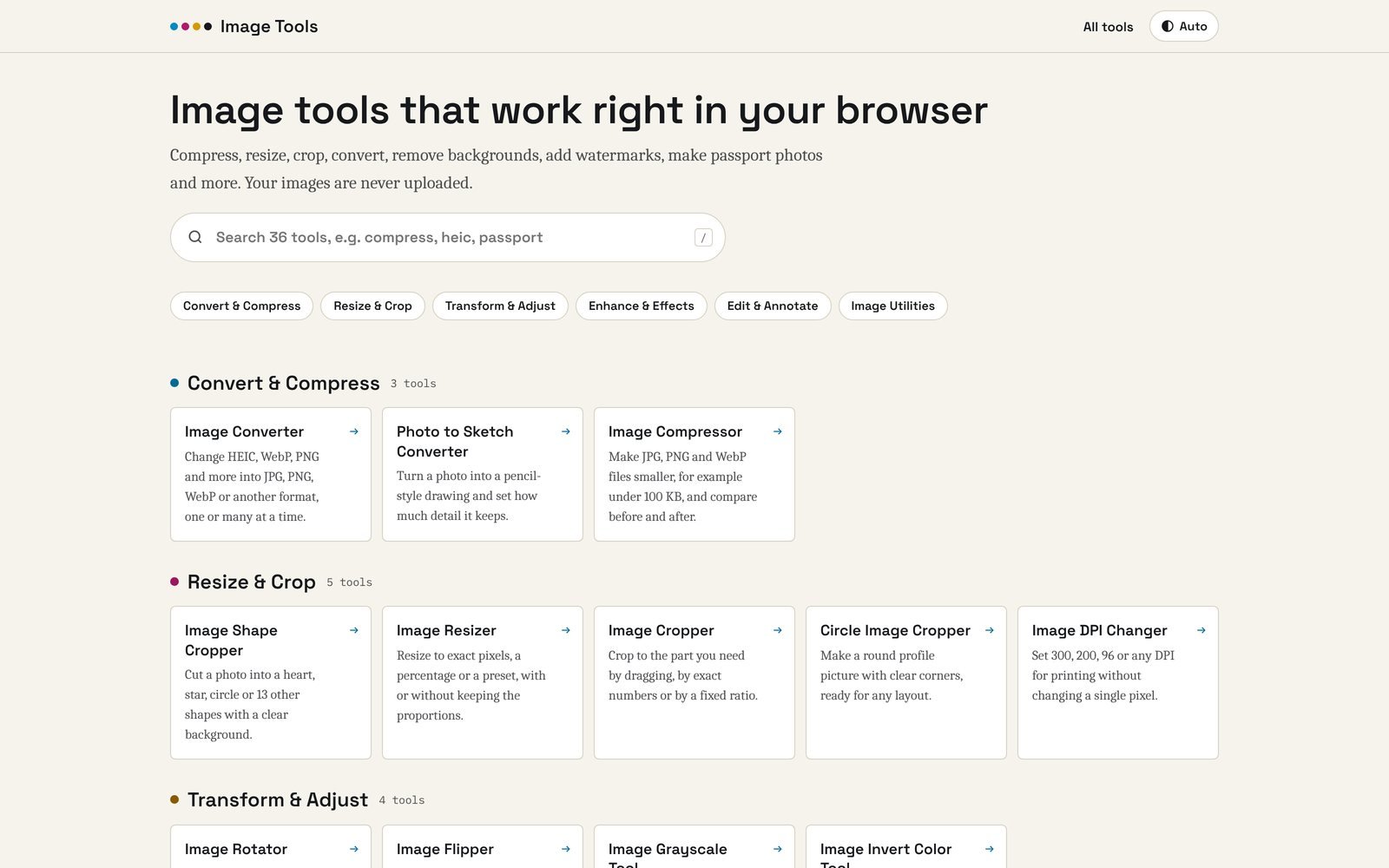
A ready-made website with 36 image tools: compress, resize, crop, convert HEIC and WebP, remove backgrounds, watermark, passport photos, favicons, charts, collages, OCR and more. Plain HTML, CSS and JavaScript: no WordPress, no database, no PHP. Images are processed in the visitor's own browser.
1. What is in the download
website/ | The website. Upload the contents of this folder. |
documentation/ | This guide. |
licensing/ | The GPL license, the font licenses and the licenses of the included libraries. |
README-FIRST.txt | The quick steps. |
Inside website/: index.html (home with all tools and search), tools/ (one folder per tool), about.html, privacy.html, contact.html, 404.html, config.js (your settings), sitemap.xml, robots.txt, .htaccess and assets/ (styles, fonts and the libraries the tools use, such as the HEIC decoder, the OCR engine and the background model).
2. Requirements
- Any web hosting that serves files: shared hosting (Hostinger, cPanel), a VPS, or static hosts such as Netlify, Cloudflare Pages or GitHub Pages.
- No database, no PHP.
- About 45 MB of space (most of it is the OCR data, the background model and the HEIC and PDF readers).
- HTTPS is recommended.
- Visitors: a current Chrome, Edge, Firefox or Safari, on desktop or mobile.
3. Upload to your hosting
- Unzip the download on your computer.
- Zip the contents of the
websitefolder (select all files and folders inside it, then compress), or use the folder as it is. - Hostinger: hPanel > File Manager >
public_html> Upload the zip > right-click > Extract intopublic_html. Delete the zip and the host's placeholder page (for exampledefault.php). - Check that
index.htmlis directly insidepublic_html, next toassetsandtools. - Open your domain. The home page lists all tools. Open the Image Compressor and add a photo to test it.
- Edit
config.jsto set your site name and colors (next section).
The site also works in a sub-folder, for example example.com/image-tools/: all links are relative.
4. Settings (config.js)
Open config.js in any text editor (Hostinger File Manager has one), change the values, save. Keep the quotes and commas.
siteName, tagline | Shown in the header, footer and browser tab. |
logoImage | Optional logo, e.g. 'assets/logo.png' (about 32 px high). Without it, four colored dots are shown. |
contactEmail, footerText | Contact and Privacy pages; an extra footer line. |
mode, themeToggle | Light, dark or follow the device; show the visitor switch. |
accent, light, dark | Your colors (hex). Empty values keep the built-in ones. Readable text shades are worked out from your accent. |
font, textSize, radius | Included Space Grotesk headings or the device font; tool size 90–120%; corner radius. |
hiddenTools | Tools to hide (section 6). |
ads | Ad code for the head, above and below each tool, and the home page (section 7). |
footerLinks | The links in the footer. |
5. Editing pages and text
- About, Privacy, Contact: edit
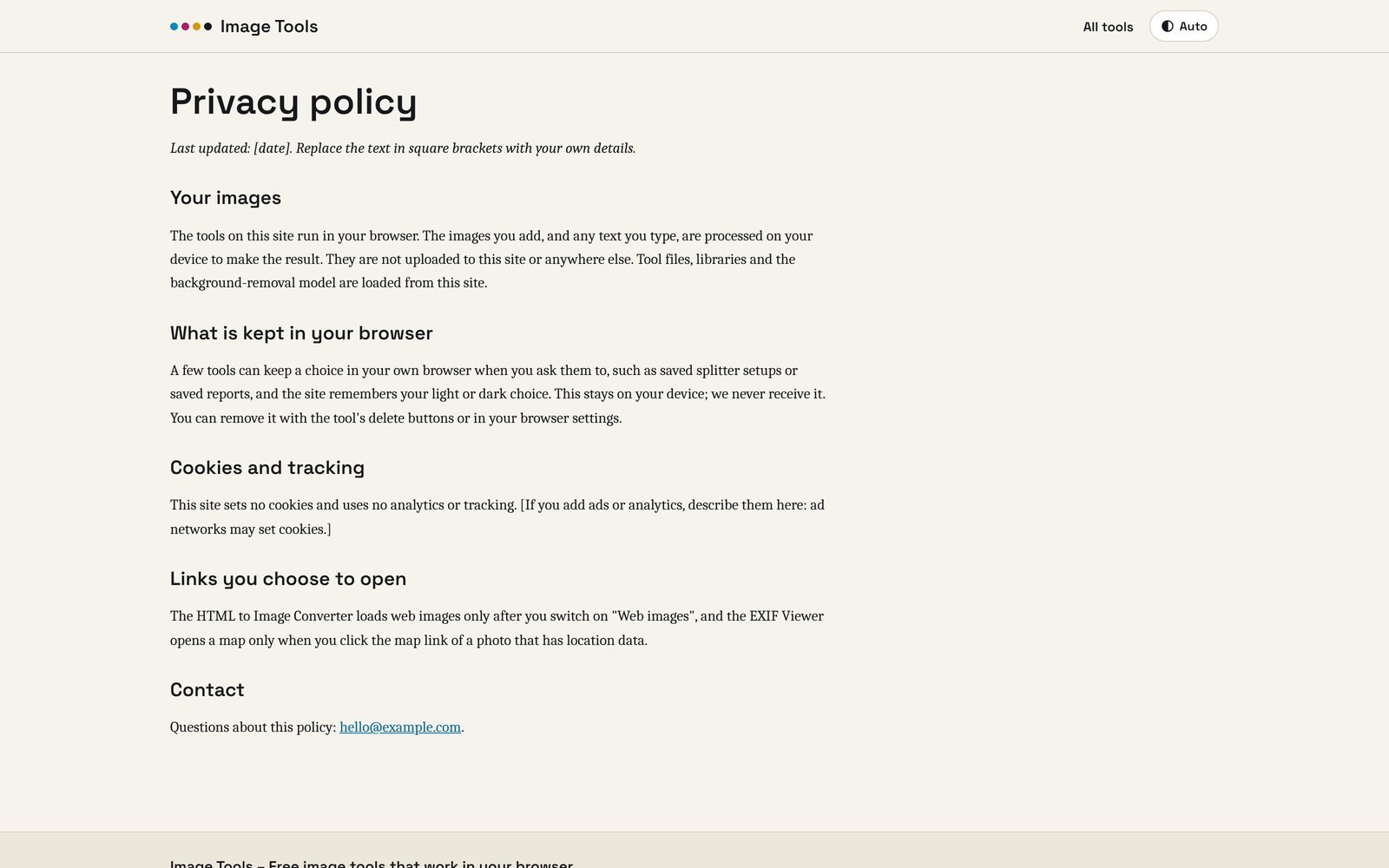
about.html,privacy.htmlandcontact.html. The privacy page has text in [square brackets] for you to complete. - Tool pages: each
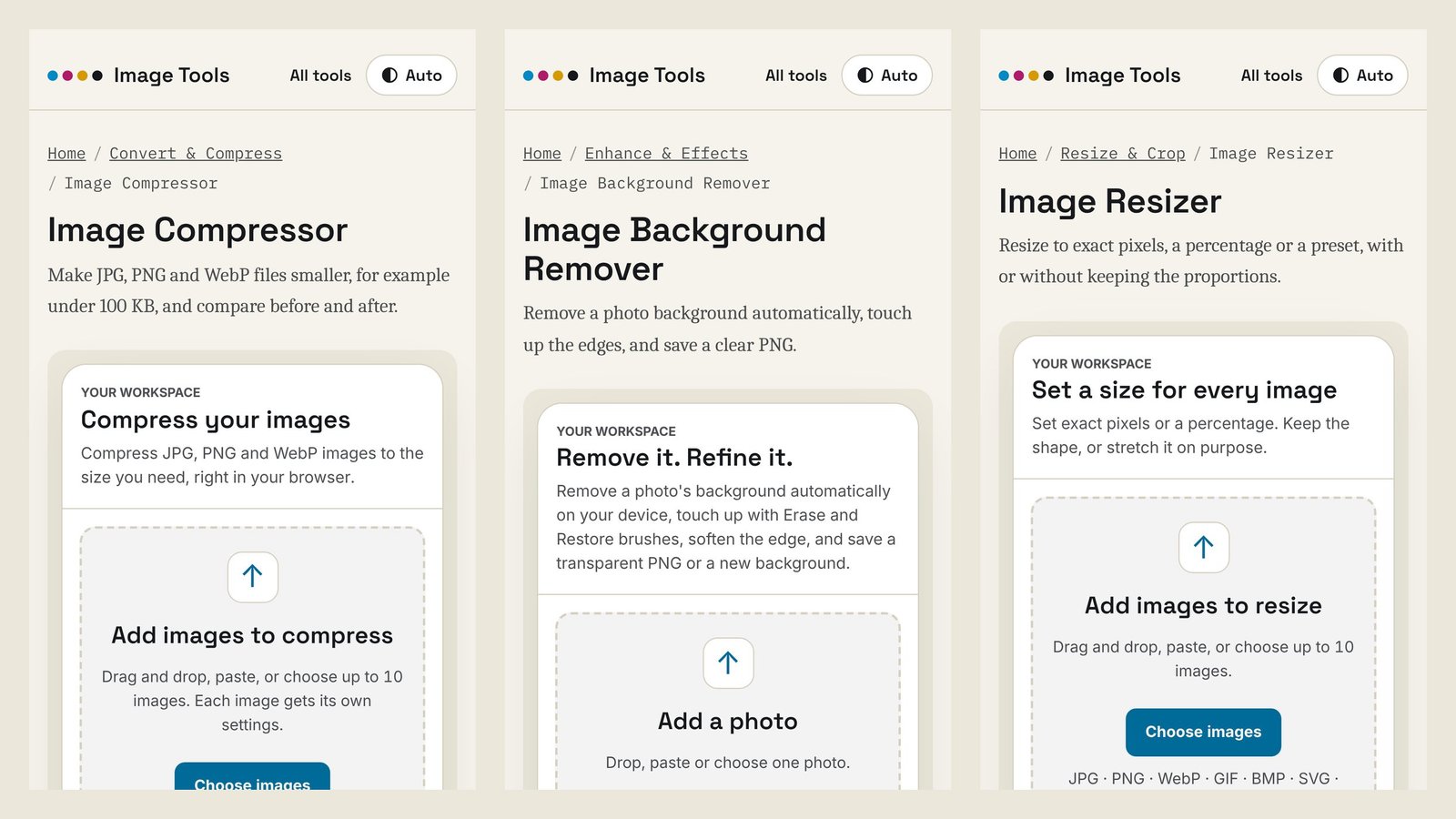
tools/<name>/index.htmlhas the title, meta description, breadcrumb, an intro line, the tool, three how-to steps, a privacy note and related tools. Edit the text between the tags; do not change the tool part (the block that starts with<div class="aiotik-wrap">). - Home page:
index.htmlheading, intro and tool cards.
6. Hiding tools
Add the folder name to hiddenTools, for example hiddenTools: ['image-exif-viewer', 'chart-graph-creator']. The tool disappears from the home page and related lists, and its page shows a short notice. To remove a tool completely, also delete its folder and its line in sitemap.xml.
7. Adding ads
Paste your ad network's code between the backticks in ads: head (loaded once per page, e.g. the AdSense script), top and bottom (around each tool) and home. Empty means no ads. If you add ads, update your privacy page: ad networks may set cookies.
8. Background removal and OCR
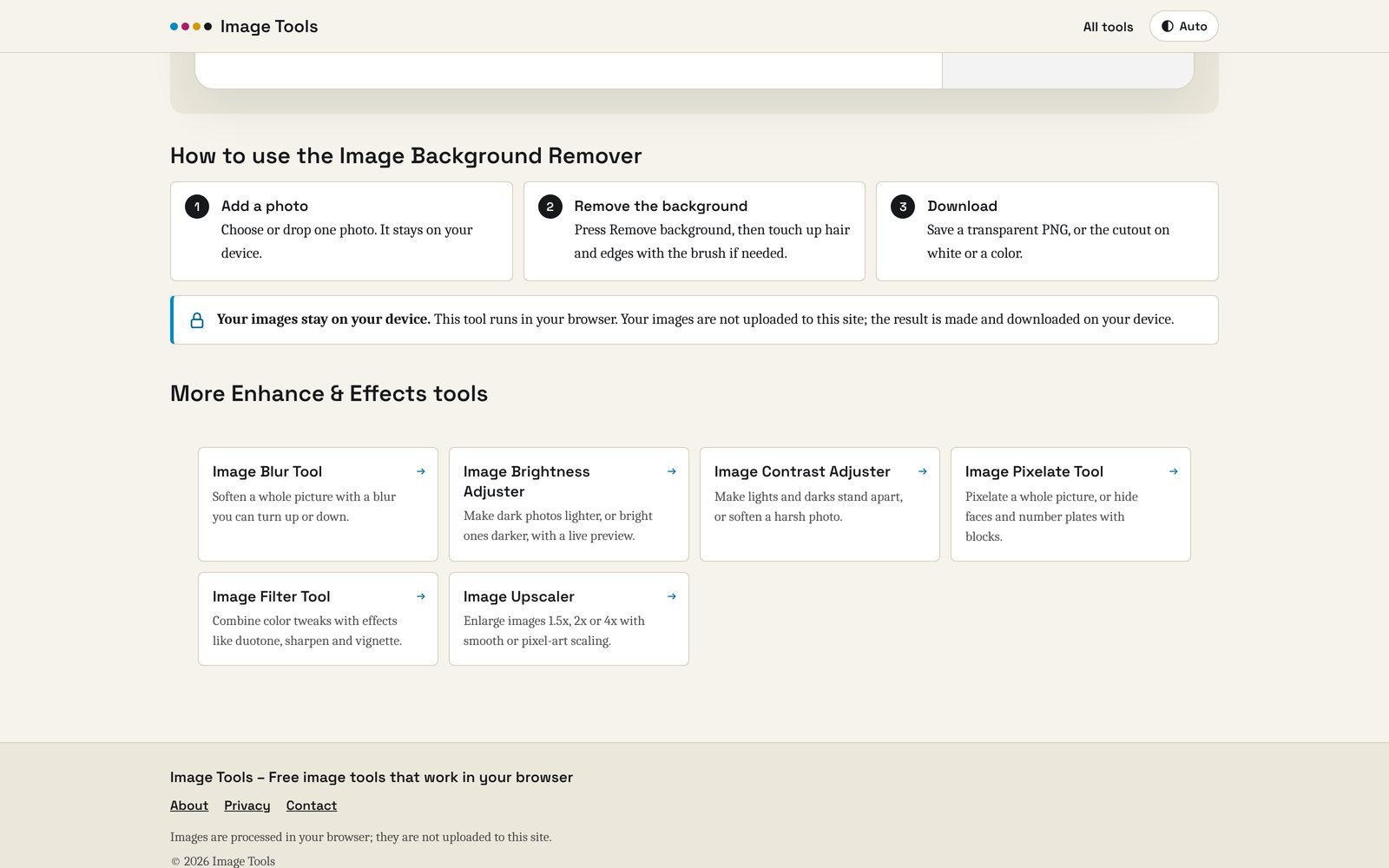
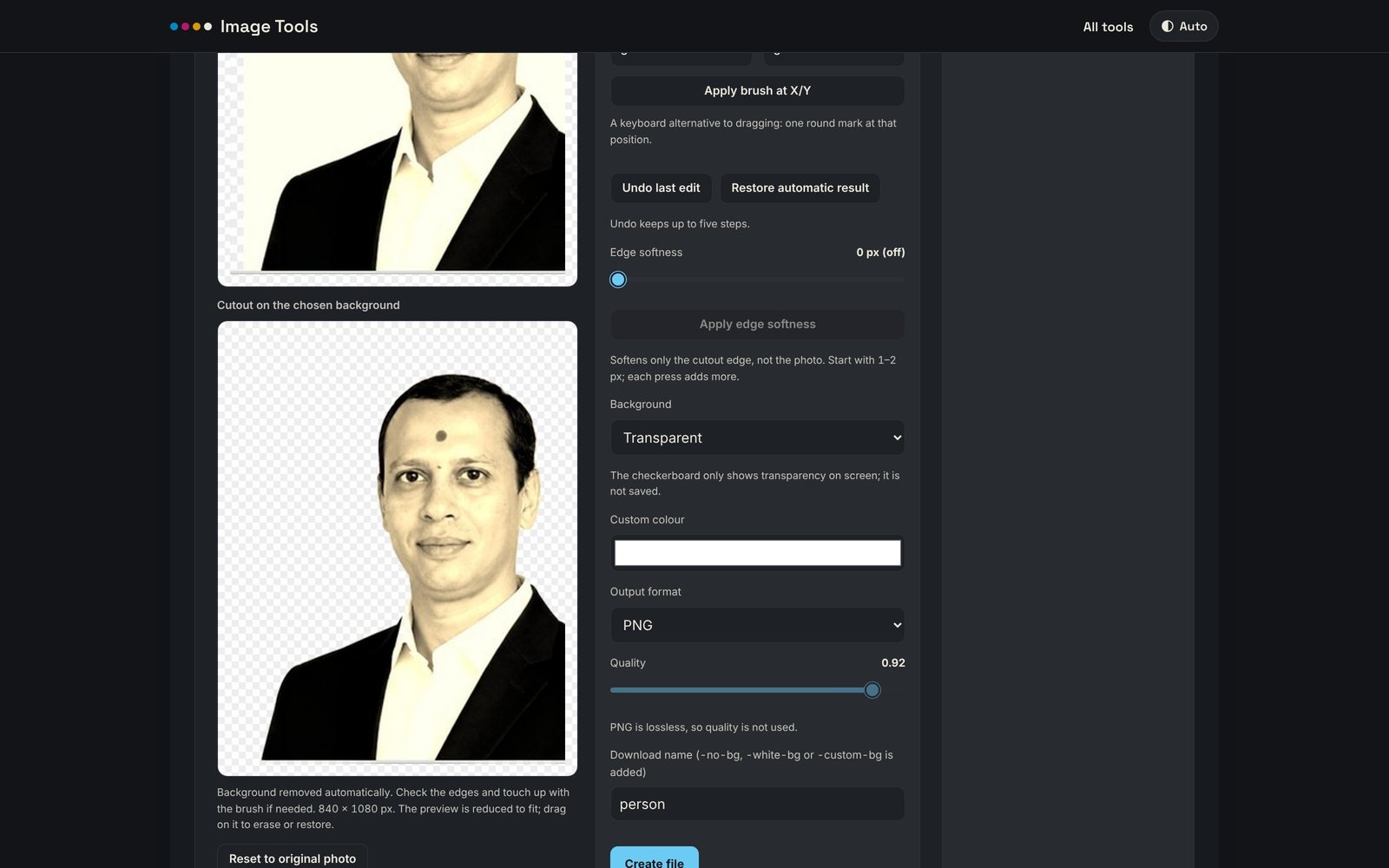
Background removal: in the Image Background Remover, visitors press Remove background. A small model (U2-Net-p, Apache-2.0) finds the subject in their browser with ONNX Runtime Web (MIT). The model and engine (about 16 MB) are in assets/libs/bgmodel/, load from your site only when the button is pressed, and the photo is never uploaded. It works well on clear subjects such as people, products and food; hair and fine edges may need a touch-up with the Erase and Restore brushes.
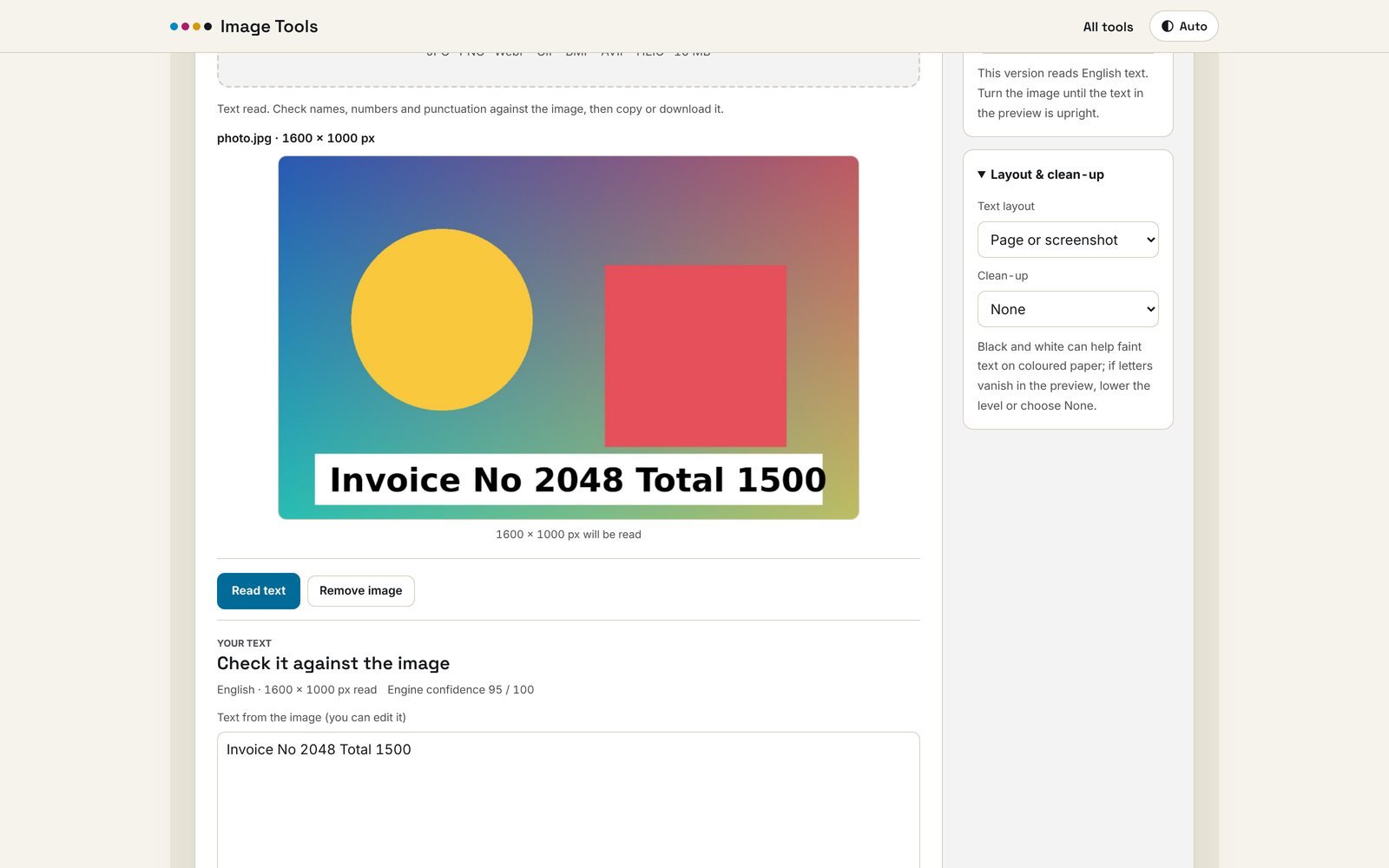
Text recognition (OCR): the Image to Text Converter and the "Read the text" mode of the Image to HTML Converter read printed English. The engine (Tesseract.js) and the English data (about 5 MB) are in assets/libs/tesseract/.
Both are read by the tools directly, so they work even when a host sends .wasm files with the wrong type. The included .htaccess also sets the right types on Apache and LiteSpeed.
9. SEO: sitemap, titles, content
- Sitemap: in
sitemap.xmlandrobots.txtreplacehttps://example.comwith your address (keep the folder if you installed in one). Submit the sitemap in Google Search Console. - Titles and descriptions: every page has its own title and meta description; the browser tab adds your site name.
- Write your own text: search engines rank useful, original pages. Add your own explanations, examples and FAQ to the tool pages that matter most to you.
10. All 36 tools
| Tool and folder | What it does |
|---|---|
| Convert & Compress3 tools | |
Image Convertertools/image-converter/ | Change HEIC, WebP, PNG and more into JPG, PNG, WebP or another format, one or many at a time. |
Photo to Sketch Convertertools/photo-to-sketch-converter/ | Turn a photo into a pencil-style drawing and set how much detail it keeps. |
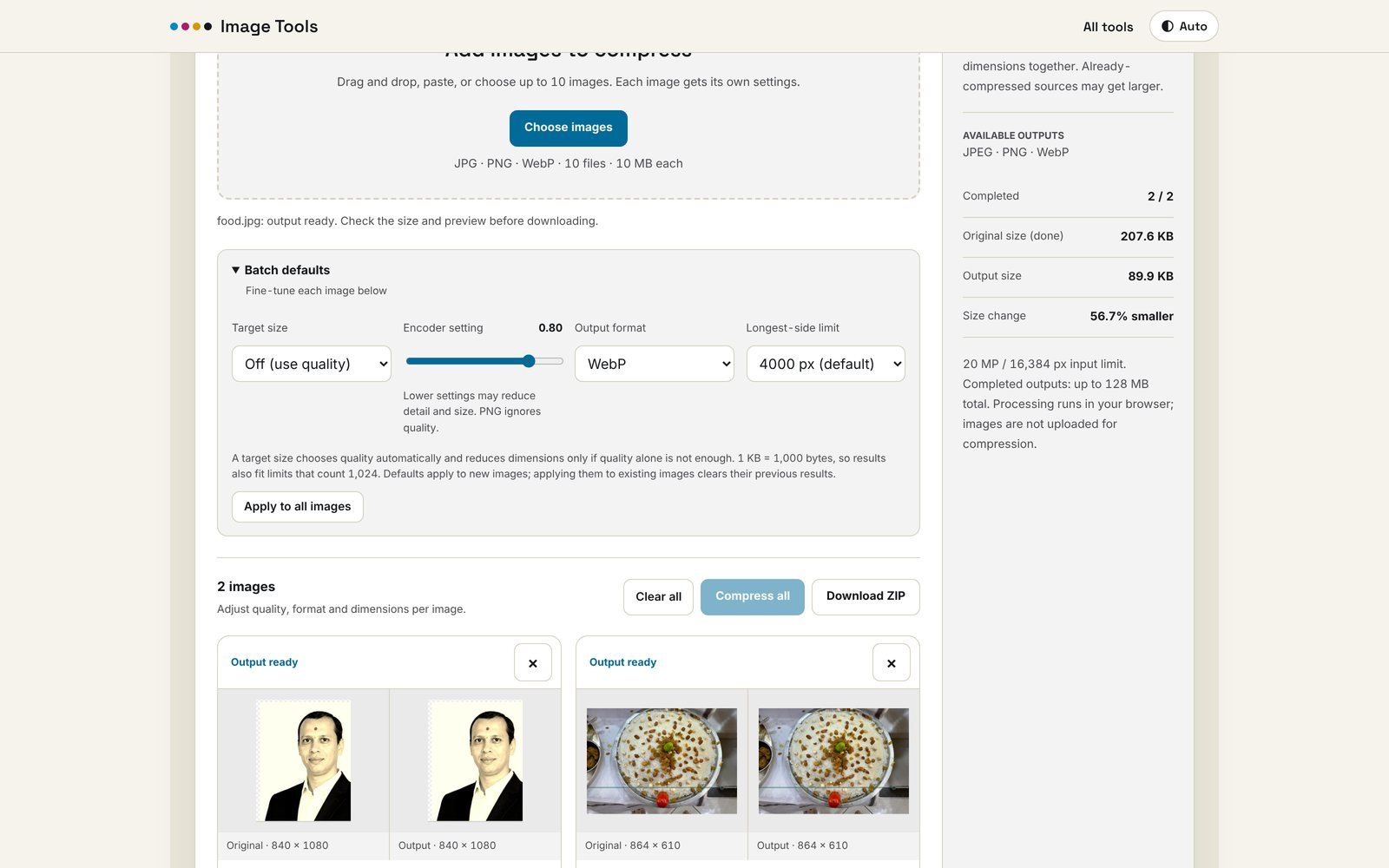
Image Compressortools/image-compressor/ | Make JPG, PNG and WebP files smaller, for example under 100 KB, and compare before and after. |
| Resize & Crop5 tools | |
Image Shape Croppertools/image-shape-cropper/ | Cut a photo into a heart, star, circle or 13 other shapes with a clear background. |
Image Resizertools/image-resizer/ | Resize to exact pixels, a percentage or a preset, with or without keeping the proportions. |
Image Croppertools/image-cropper/ | Crop to the part you need by dragging, by exact numbers or by a fixed ratio. |
Circle Image Croppertools/image-circle-cropper/ | Make a round profile picture with clear corners, ready for any layout. |
Image DPI Changertools/image-dpi-changer/ | Set 300, 200, 96 or any DPI for printing without changing a single pixel. |
| Transform & Adjust4 tools | |
Image Rotatortools/image-rotation/ | Turn images by 90, 180 or 270 degrees, or by any angle you choose. |
Image Flippertools/image-flip/ | Mirror a picture left to right, top to bottom, or both. |
Image Grayscale Tooltools/image-grayscale/ | Turn color photos into black and white, keeping any transparent parts. |
Image Invert Color Tooltools/image-invert-colors/ | Flip every color to its opposite, like a photo negative. |
| Enhance & Effects7 tools | |
Image Blur Tooltools/image-blur/ | Soften a whole picture with a blur you can turn up or down. |
Image Brightness Adjustertools/image-brightness-adjuster/ | Make dark photos lighter, or bright ones darker, with a live preview. |
Image Contrast Adjustertools/image-contrast-adjuster/ | Make lights and darks stand apart, or soften a harsh photo. |
Image Pixelate Tooltools/image-pixelate-tool/ | Pixelate a whole picture, or hide faces and number plates with blocks. |
Image Filter Tooltools/image-filter-tool/ | Combine color tweaks with effects like duotone, sharpen and vignette. |
Image Upscalertools/image-upscaler/ | Enlarge images 1.5x, 2x or 4x with smooth or pixel-art scaling. |
Image Background Removertools/image-background-remover/ | Remove a photo background automatically, touch up the edges, and save a clear PNG. |
| Edit & Annotate4 tools | |
Image Watermark Tooltools/image-watermark-tool/ | Put your name or logo on photos, with position, size, angle and opacity. |
Image Border Addertools/image-border-adder/ | Frame a picture with a colored border and rounded corners. |
Online Image Editortools/online-image-editor/ | Crop, resize, rotate, filter, erase backgrounds by hand and add text, logos or shapes. |
Meme Generatortools/online-meme-generator/ | Add bold top and bottom captions, or move text and images anywhere. |
| Image Utilities13 tools | |
Chart Creatortools/chart-graph-creator/ | Make bar, line, pie and 14 more chart types from your numbers. |
Icon & Emoji Downloadertools/emoji-icon-download-tool/ | Find an icon, emoji or symbol, color it, and download it. |
Image Color Pickertools/image-color-picker/ | Pick any color from an image and copy it as HEX, RGB or HSL. |
Image EXIF Viewertools/image-exif-viewer/ | See the camera, date and location data stored inside a photo. |
Image Splitter (Grid)tools/online-image-splitter/ | Cut one picture into a grid of tiles, for posts, puzzles or printing. |
Image Collage Makertools/image-collage-maker/ | Put several photos into one frame with ready layouts, text and stickers. |
HTML to Image Convertertools/html-to-image-converter/ | Turn a piece of HTML and CSS into a PNG or JPG picture. |
Image to HTML Convertertools/image-to-html-converter/ | Put an image straight into HTML code, or read the text in it. |
Image Carousel Makertools/image-carousel-maker/ | Build a photo slider with captions, arrows and dots, and get the code. |
Favicon Generatortools/favicon-generator/ | Turn one logo into every favicon size, an ICO file and a web manifest. |
Image to Text Convertertools/image-to-text-converter/ | Read printed English text from a photo or screenshot and copy it. |
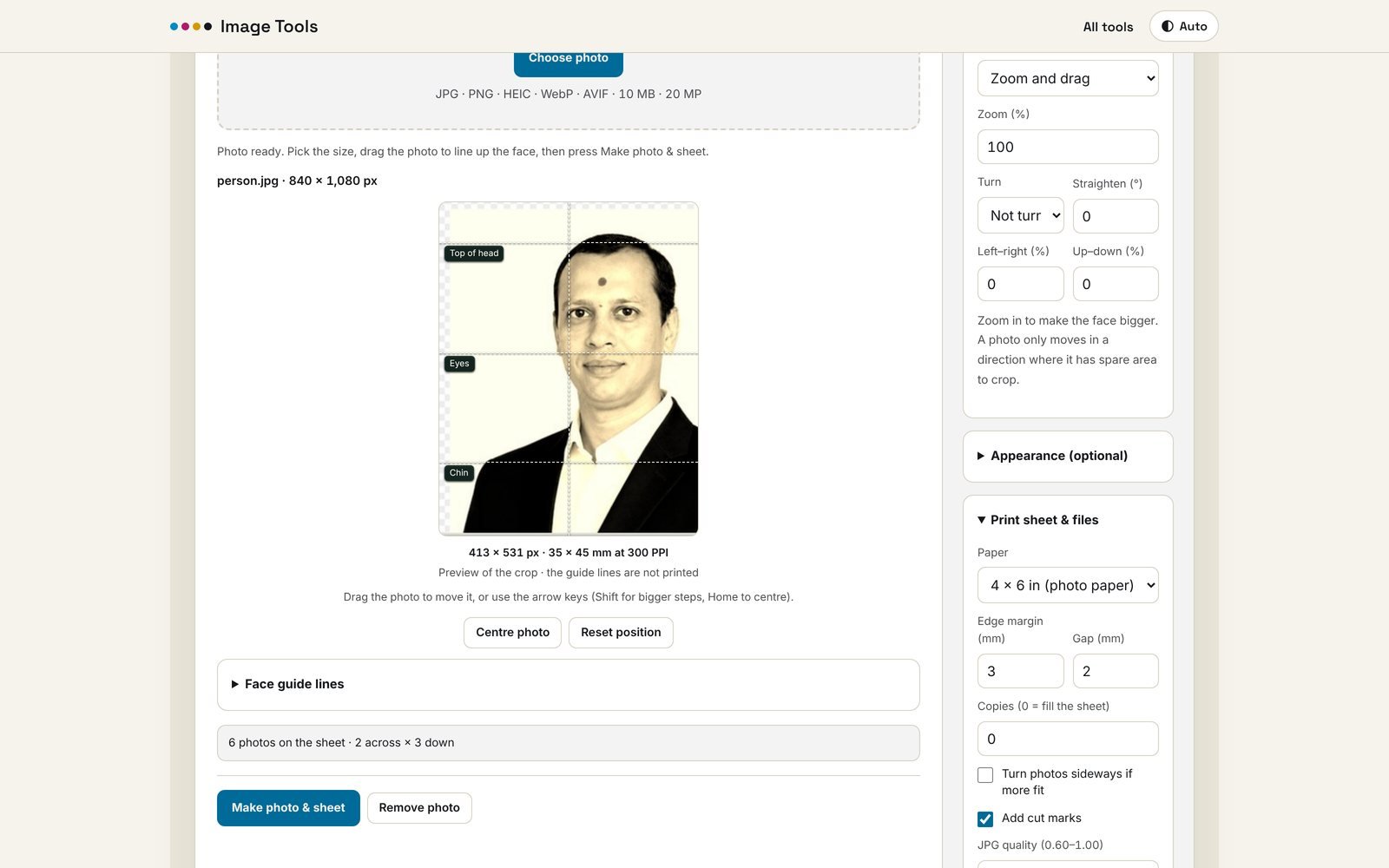
Passport Photo Makertools/passport-photo-maker/ | Make a passport or ID photo at the right size and a print sheet. |
Image to Base64 Convertertools/image-to-base64-converter/ | Turn an image into Base64 code, or Base64 back into an image. |
Most tools take several images at once, with settings per image or for all, and download single files or one ZIP. Many accept iPhone HEIC photos.
11. Common mistakes
- An extra folder level.
- The files sit in
public_html/website/instead ofpublic_html/, so the domain shows an empty or old page. Move the files one level up soindex.htmlis directly inpublic_html. - The page has no design, or giant icons.
- The
assetsfolder is missing or the upload stopped part way. Upload the wholewebsitefolder again, with all sub-folders, and keep the names as they are (Linux hosting is case-sensitive). - config.js changes don't show.
- A comma or quote is missing, so the browser skips the whole file and the site keeps its defaults. Change only the text inside the quotes and keep the comma.
- Still seeing the old version.
- Reload with Ctrl+F5 and purge your hosting cache (LiteSpeed: Purge All) and Cloudflare if you use it.
- Sitemap still says example.com.
- Replace it in
sitemap.xmlandrobots.txtbefore you submit the sitemap.
12. Privacy
- Images are processed in the visitor's browser and are not uploaded.
- No cookies, no analytics, no tracking, no license check, no calls to the author. Fonts, scripts and models are served from your site; nothing loads from a CDN.
- A few tools keep a choice in the visitor's own browser only when the visitor saves it (for example splitter setups or EXIF reports), with a button to remove it. The light/dark choice is also kept there.
13. Browsers and limits
- Current Chrome, Edge, Firefox or Safari with JavaScript on.
- Large batches use the visitor's memory; each tool shows its own file and pixel limits.
- The upscaler enlarges with resampling; it cannot add detail that is not in the photo.
- OCR reads English. Background removal works best on clear subjects.
- Tool screens are in English.
14. FAQ and troubleshooting
- Remove background shows an error.
- Check that
assets/libs/bgmodel/was uploaded with all four files. The message names the file and the server's answer (for example 403 or 404). A 403 usually means a security rule on the host blocks.wasmor.onnxfiles: ask the host to allow them. - HEIC photos don't open.
- Check that
assets/libs/heic2any/andassets/libs/heic-to/were uploaded. - The 404 page is not used.
- On Apache/LiteSpeed remove the # before
ErrorDocumentin.htaccesswhen the site is at the domain root.
15. Updating
Download the new version, then upload the new files over the old ones, except your config.js and any page text you changed (about, privacy, contact, edited tool pages). Compare first if a release note says those files changed. Then purge your cache.
16. Support
Questions about the features, help with reported bugs and with the included files: write to the address on the product page. Customization and hosting setup are not included. Please include your site's address, which tool, your browser and a screenshot. Please don't send private photos.
17. Credits and licenses
- Image Tools Website Script © Bhavin J. Sheth, GNU General Public License version 2 or later.
- Fonts: Space Grotesk and IBM Plex Mono – SIL Open Font License 1.1 (
website/assets/fonts/). - Included libraries (licenses next to each one in
website/assets/libs/and inlicensing/): heic2any (MIT), heic-to and libheif (LGPL-3.0), PDF.js (Apache 2.0), UTIF.js and pako (MIT), Tesseract.js and English tessdata (Apache 2.0), ONNX Runtime Web (MIT), U2-Net-p model (Apache 2.0), Chart.js and chartjs-plugin-datalabels (MIT), html2canvas (MIT), Font Awesome Free icon paths (CC BY 4.0).
18. Changelog
1.0.0 — First release: 36 tools, home with search, tool pages with how-to steps and related tools, About/Privacy/Contact/404, config.js settings, light/dark/auto, ad slots, automatic background removal on the device.